A camera roll developed like it's 2006
Flashdays is our Android and iOS app that gives a whole roll of photos the look of a 2000s compact camera, with flash, grain and the orange date stamp, then exports it as a carousel for TikTok or Instagram. Every photo is developed on the phone.
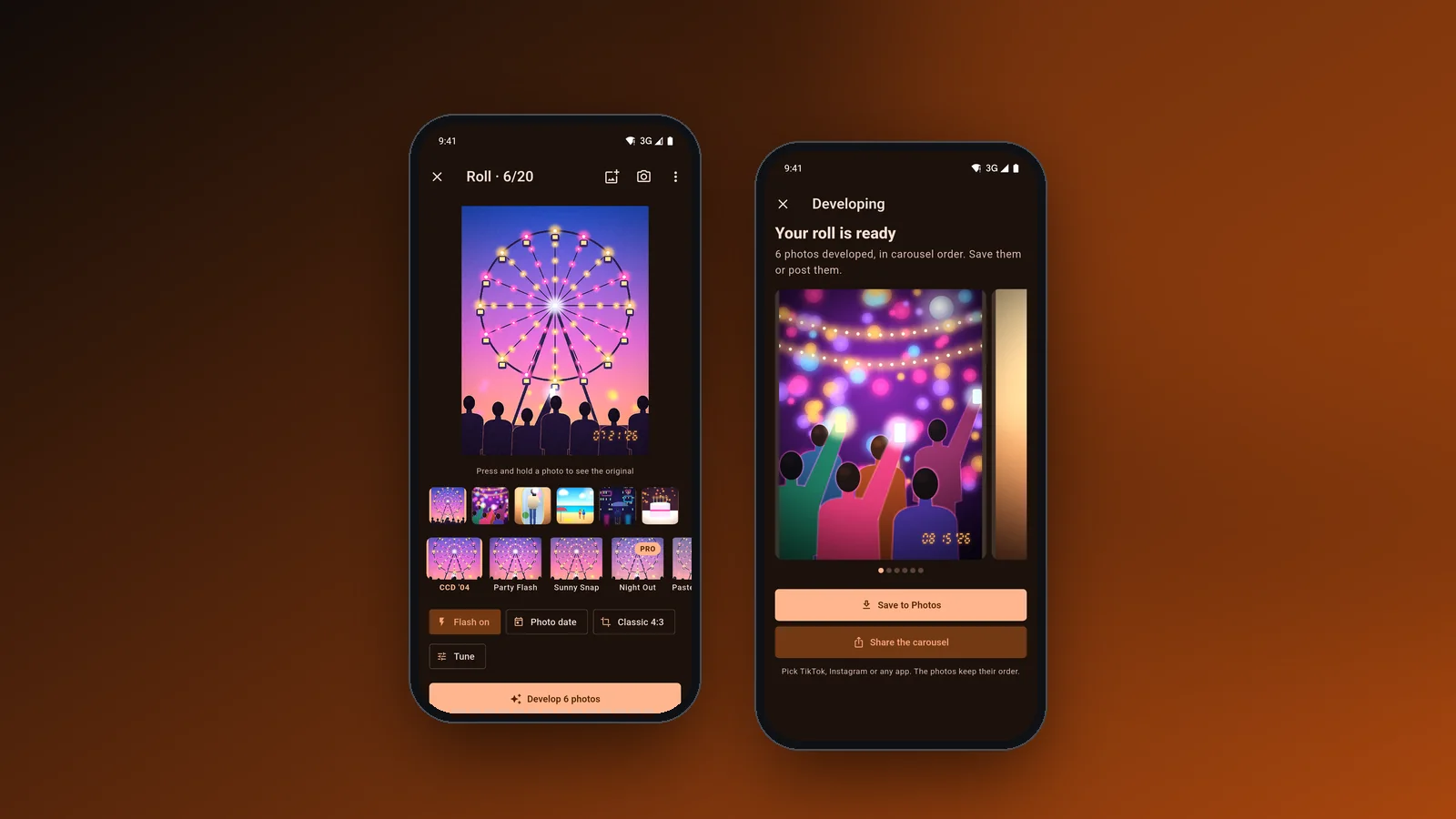
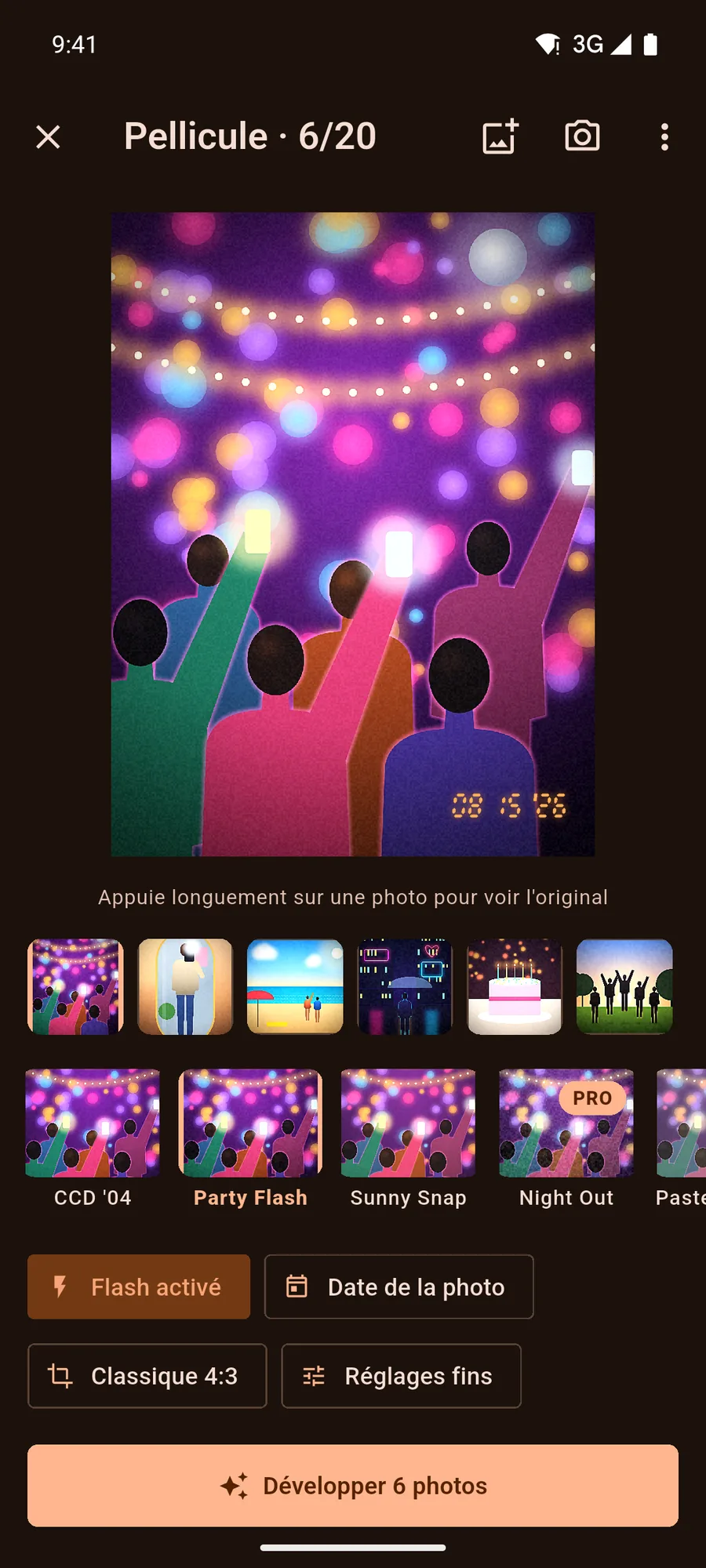
Flashdays takes up to 20 photos from the camera roll, applies the same camera body to all of them and exports the set as a carousel, in the order the user chose. The look comes from a fragment shader we wrote that runs on the phone's GPU, so no photo is uploaded and no face is altered. We designed and built the app in Flutter for Android 8+ and iOS 15+, in 10 languages. The screens on this page come from a test build with painted synthetic scenes, not real photos.
- Client
- Flashdays · Photo app
- Sector
- Consumer photo app
- Where
- Bogotá, Colombia
- Year
- 2026
- Deliverables
- Flutter app for Android and iOS
- GPU darkroom shader
- Recipes synced to an optional account
- Onboarding, Pro subscription and settings
- 10 languages, Arabic RTL included
- Services
The compact-camera look, without buying a camera
Photo dumps and carousels on TikTok and Instagram borrowed the look of mid-2000s compact cameras: hard flash, cool CCD colour, grain and a date printed in the corner. Getting it meant buying a used camera and moving files around, or editing photo by photo in apps that are often iOS-only, English-first or paywalled before they show a result.
Some of those apps run AI filters that change faces, or overwrite the date the photo was taken. We set three rules for Flashdays: one look for the whole roll, the real capture date on the stamp, and photos that never leave the phone.
A darkroom on the phone's GPU
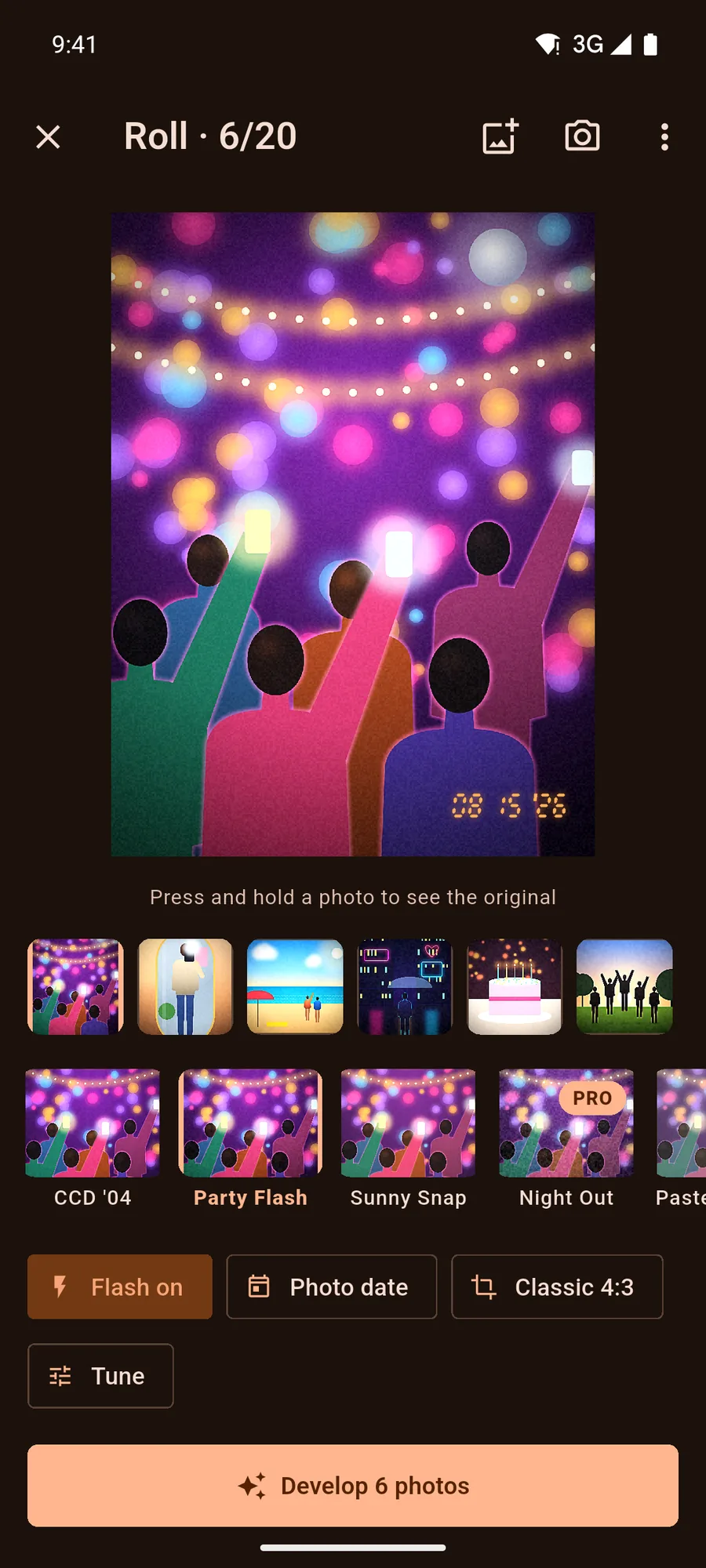
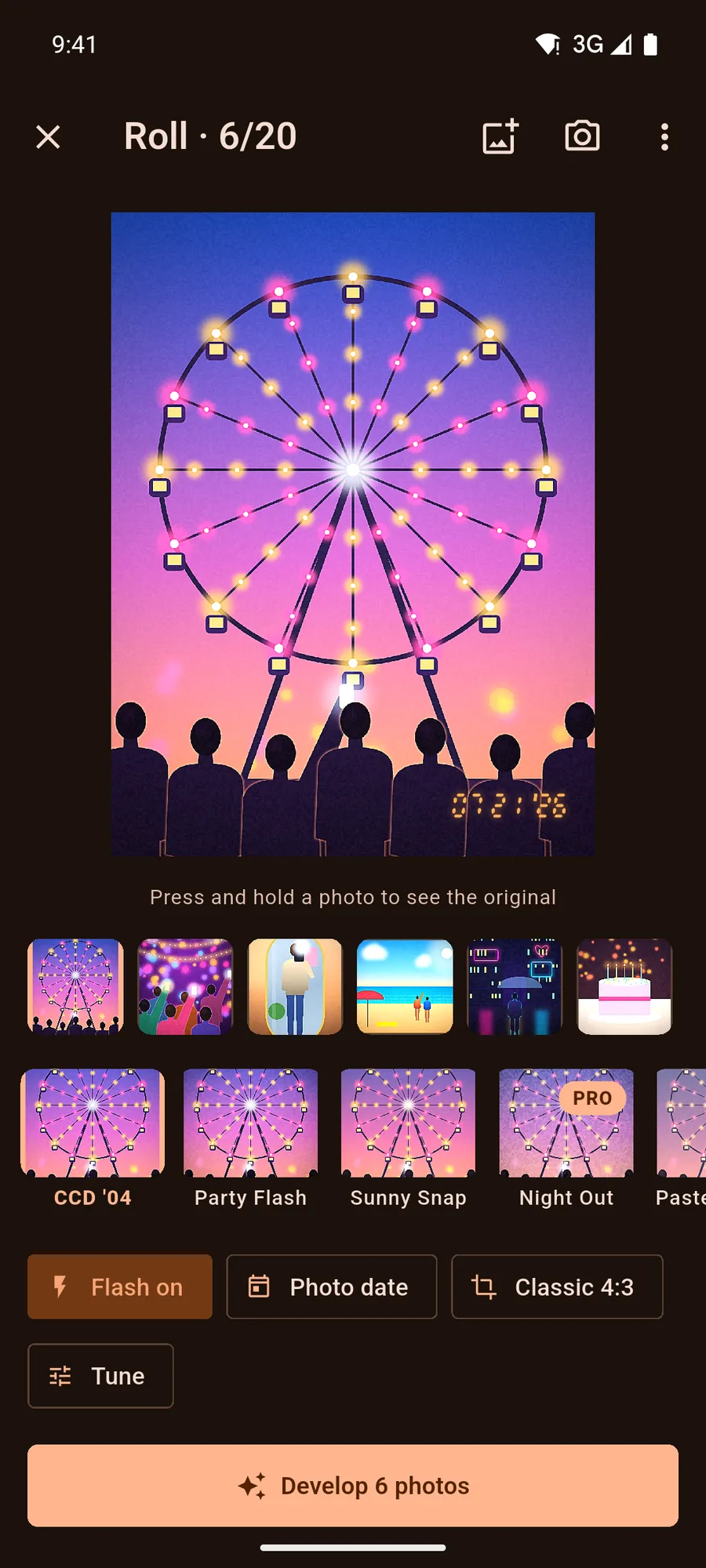
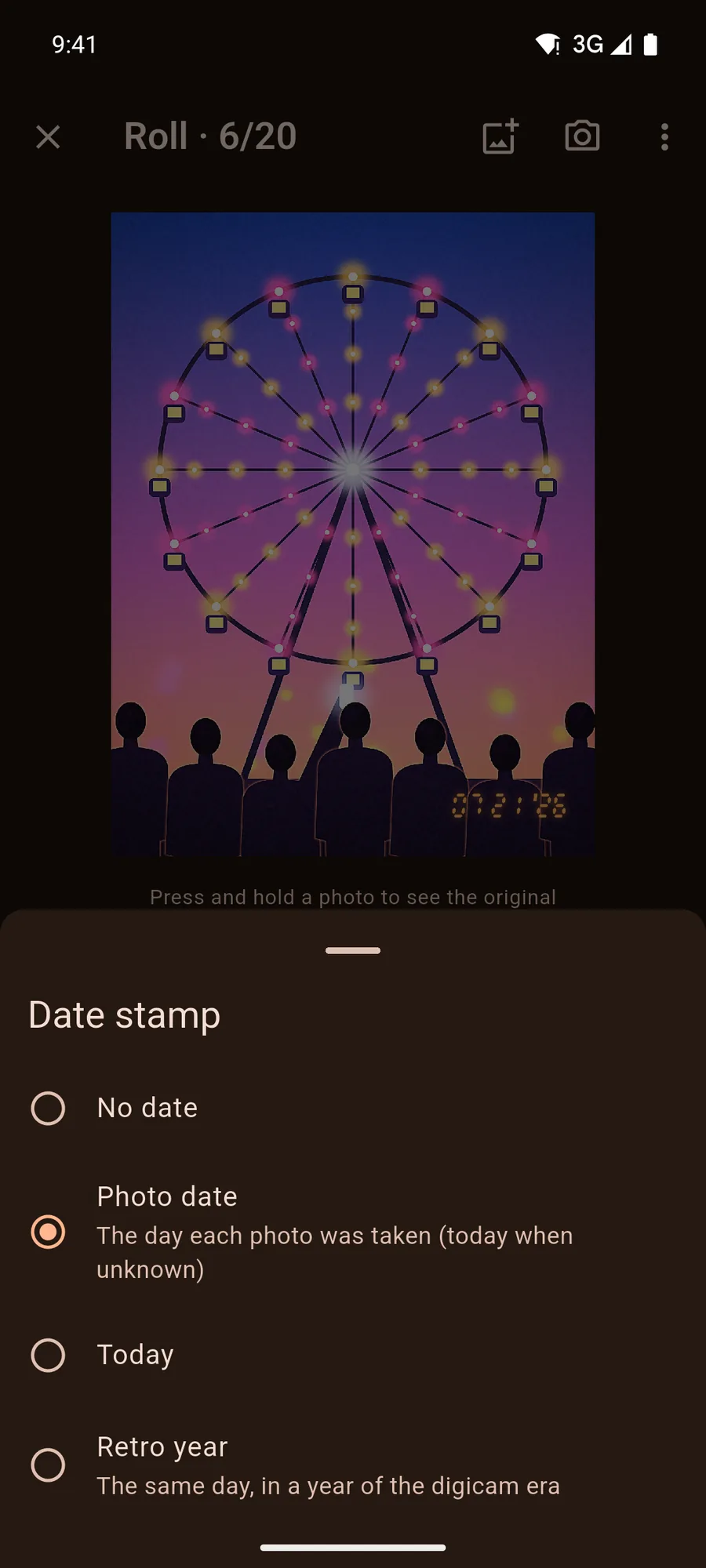
Each camera body is a set of parameters for a single fragment shader: exposure, contrast, colour temperature, flash falloff, bloom, vignette, grain, chroma noise, sharpening and split toning. The editor previews the chosen body live on the current photo, and holding a finger on the photo shows the original. Flash, date stamp (the day the photo was taken, today, none, or a retro year from 2000 to 2012) and frame (4:3, 4:5 or 9:16) apply to the whole roll.
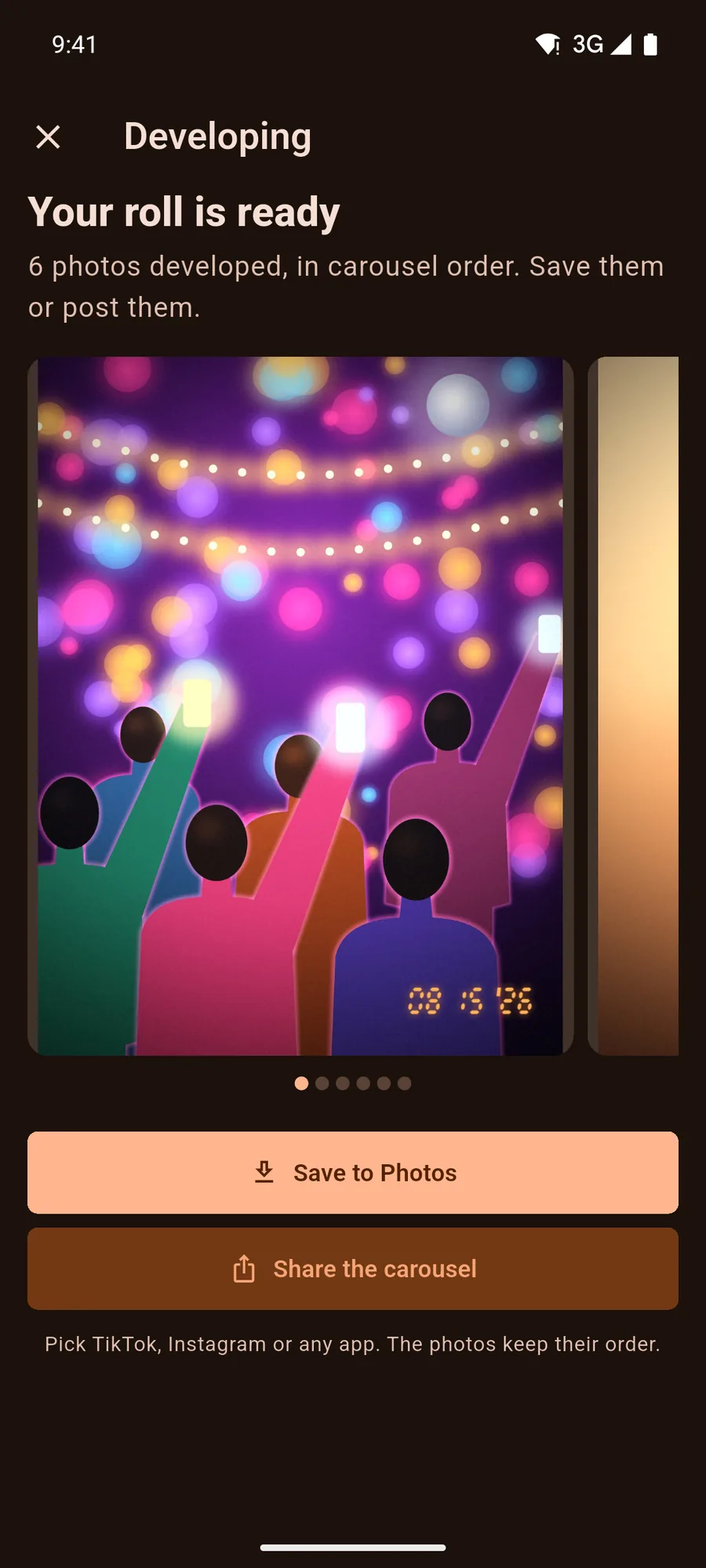
Developing runs every frame through the same shader, encodes it as a JPEG with the EXIF metadata stripped, and hands the carousel to Save to Photos or the share sheet in the order the user set. Photos come in through the system picker, so the app never asks for the whole gallery; camera and add-to-Photos permissions are requested only when those buttons are tapped. The free version develops full carousels of up to 6 photos with a watermark. Pro removes it, exports at full resolution, raises the roll to 20 photos and unlocks more bodies, retro years and recipes.
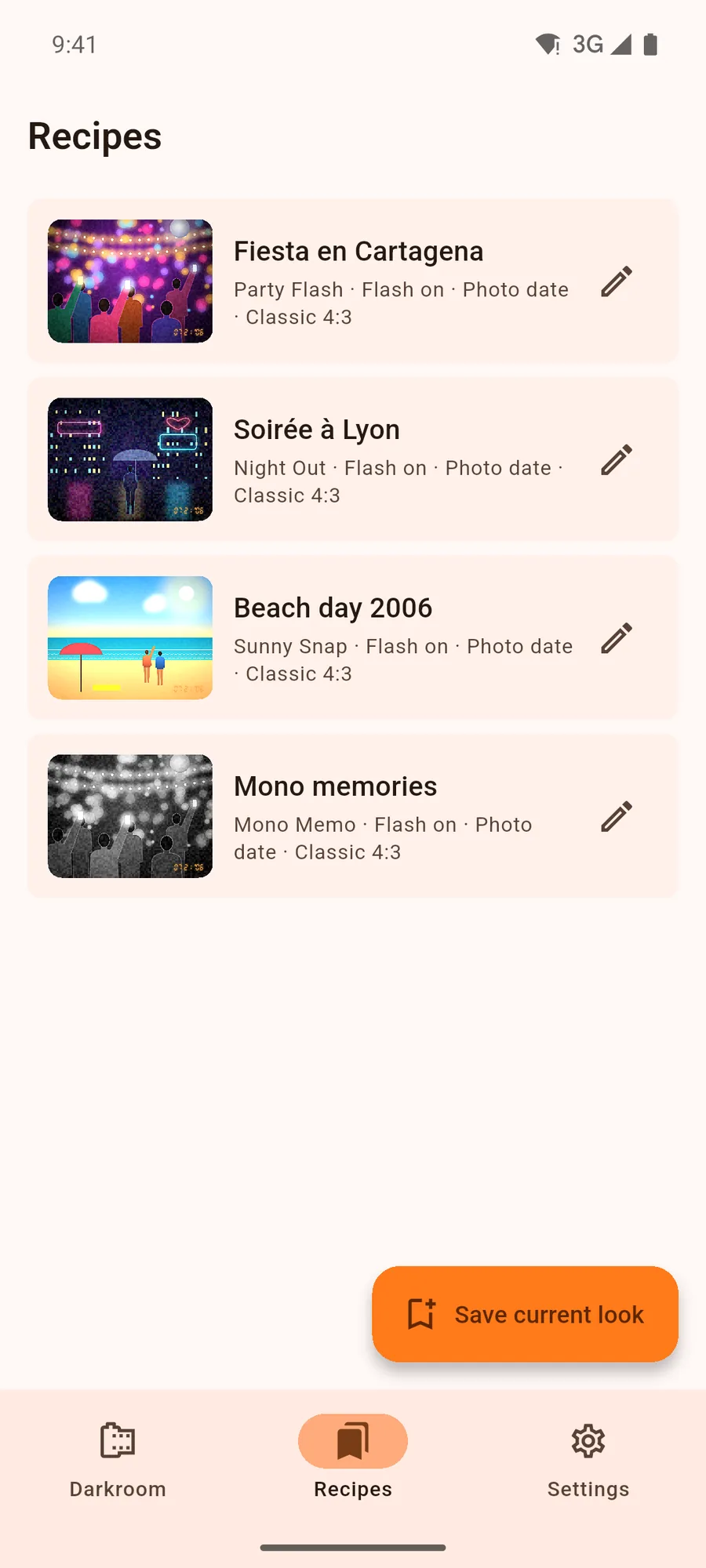
Recipes save a combination of body, flash, stamp and frame, and they are the only feature that touches a server. The first time a Pro user opens them, the app quietly starts a guest session; signing in later with Apple or an email code moves the recipes, up to 50, to that account. The account can be deleted from Settings.
-
01
One look for the whole roll
Pick up to 20 photos and one camera body, and every frame is developed the same way before it leaves as a carousel in the order you set.
-
02
The real date on the stamp
The orange stamp prints the day each photo was taken, read from its EXIF data, or today's date, or the same day in a year of the digicam era.
-
03
Nothing is uploaded
Picking, developing and exporting happen on the phone. Exported JPEGs carry no metadata, and the only thing on a server is the recipes of people who save them.
-
04
Hold to see the original
The editor shows the developed photo live; a finger on it brings back the original, and the strip tries each body on the current photo.
The project in pictures
8 images · Open any image to see it full size.
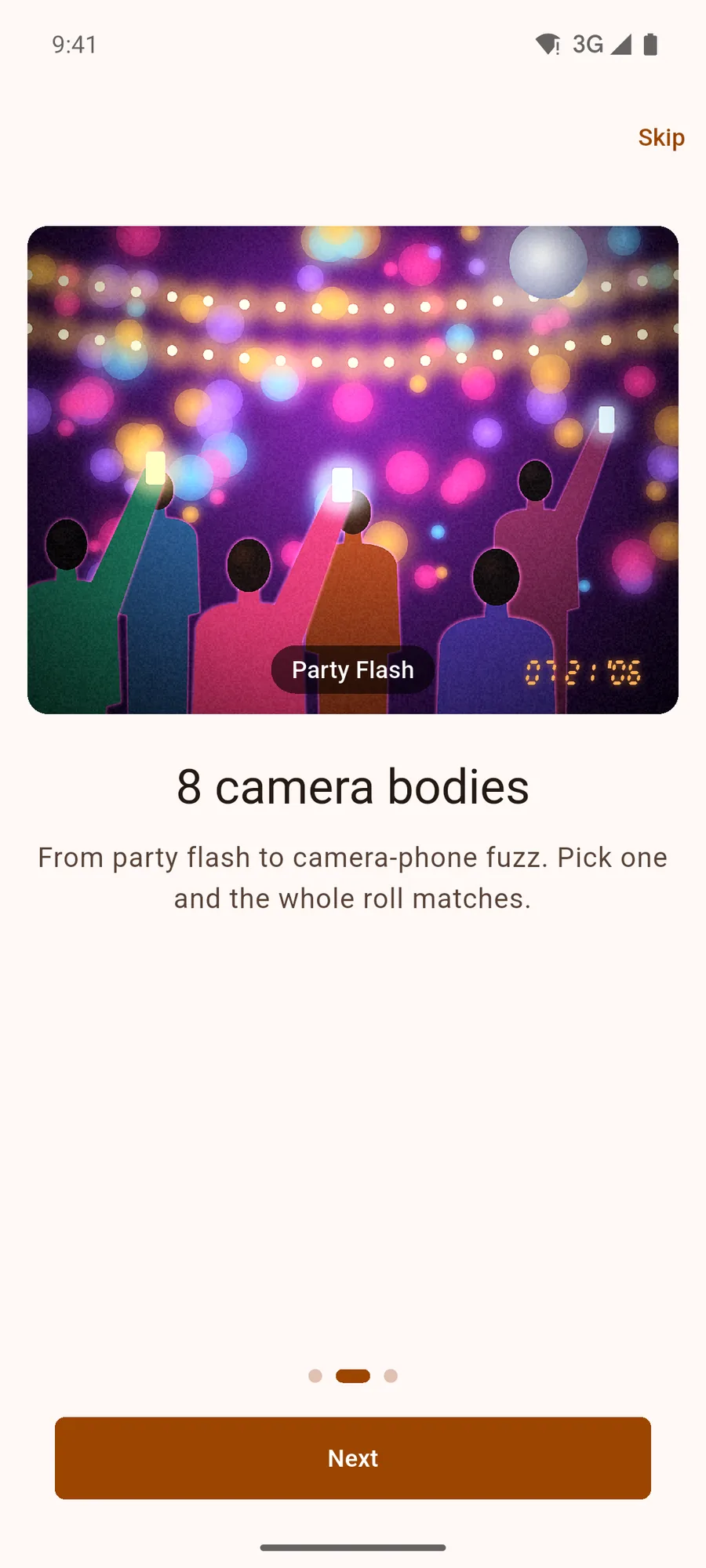
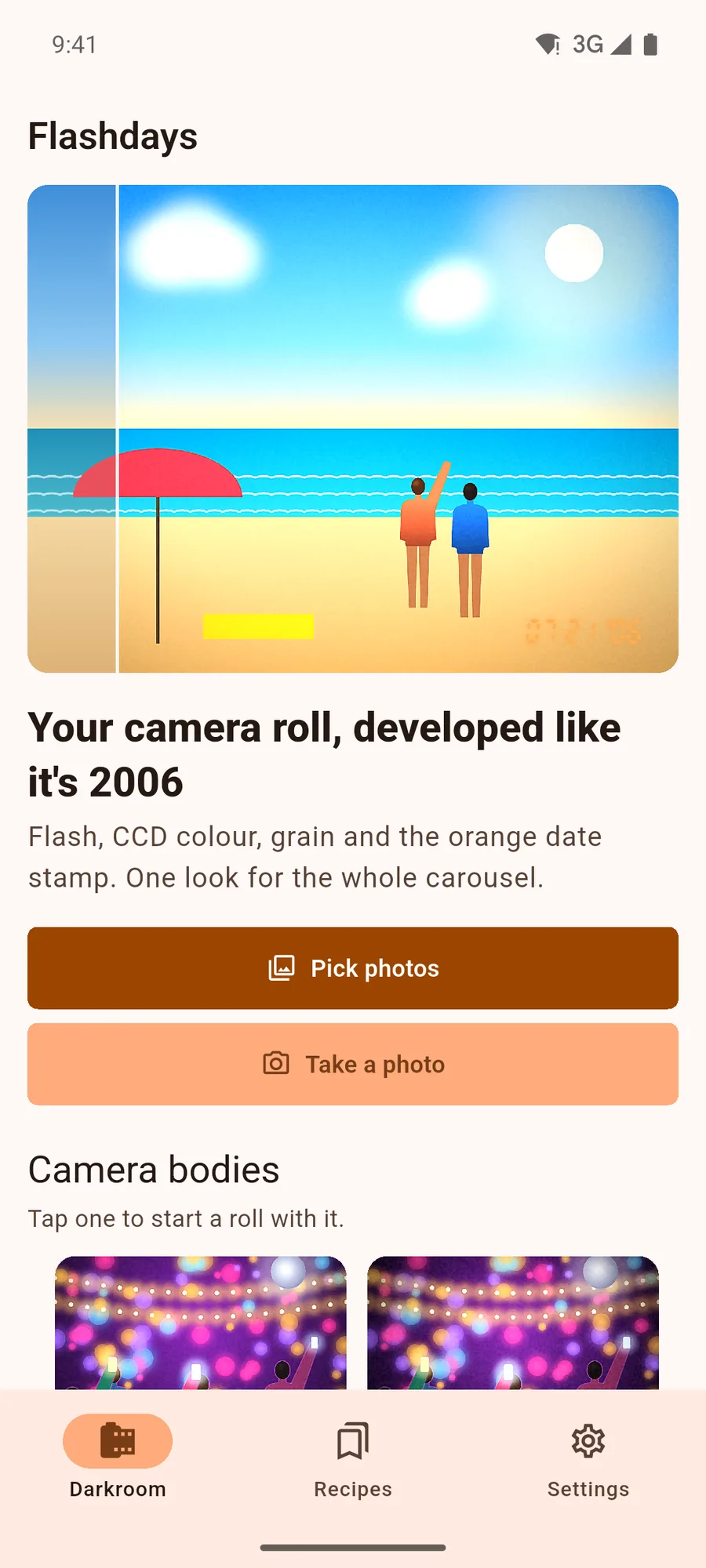
From version 1.0 to 1.1
Version 1.0 has 8 camera bodies and the editor shown on this page. Version 1.1 grows the catalogue to 42 bodies, 21 of them free, moves the controls into a tabbed panel (camera, effects, frame, date, tune) so they never cover the photo, and adds a contact sheet that puts the whole roll on one image. Recipes in 1.1 store every option, and older versions ignore the fields they don't know.
The app has 65 automated tests, six of them on the real shader: they develop a generated photo and check that the JPEG carries no EXIF. Home and the editor are tested in right-to-left Arabic and with text at 200 %, and Home in dark mode as well.
- 42 camera bodies in version 1.1, 21 of them free
- 10 languages, including Japanese, Korean, Chinese and Arabic
- Android 8+ and iOS 15+, works offline except for recipes
- Screens and video: test build, painted synthetic scenes, no real photos or people
The questions we hear often
Does Flashdays upload my photos?
No. Photos are picked with the system picker and developed on the phone's GPU. They only leave the phone when you save them to your gallery or share them with an app you choose.
Does Flashdays use AI on faces?
No. The look is a shader that changes colour, light, grain and flash evenly across the whole image. It does not detect or alter faces.
Is the date on the stamp the real one?
By default, yes: it is the day each photo was taken, read from its EXIF data. You can also use today's date, turn the stamp off, or pick the same day in a year between 2000 and 2012.
Cases close to this one
 Read more
Dampling · Drink less
Read more
Dampling · Drink less
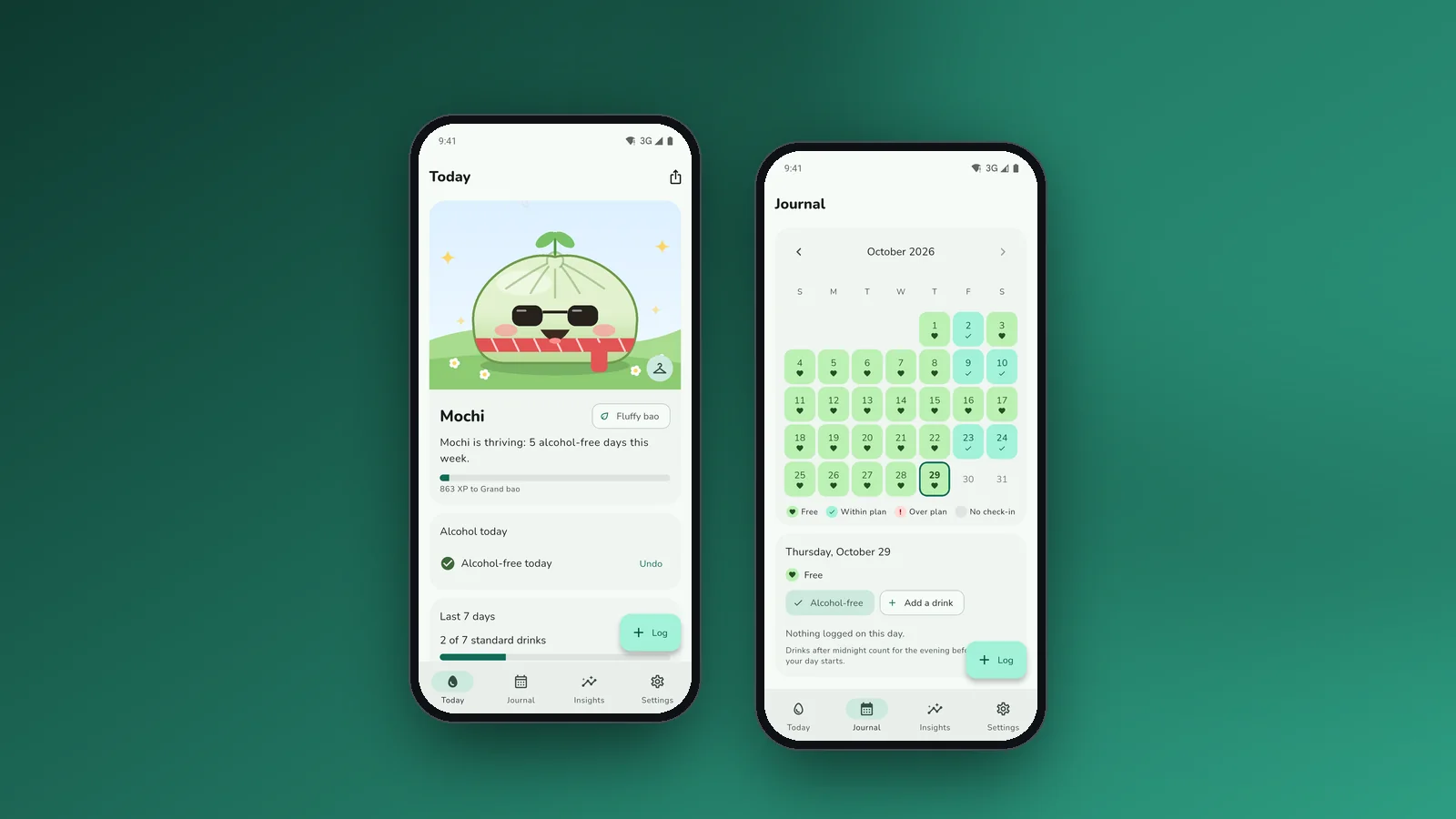
Drink less, and watch a pet grow
Flutter app for Android and iOS: an alcohol and nicotine journal that keeps its data on the phone, and a dumpling pet that grows on alcohol-free days.
Learn more →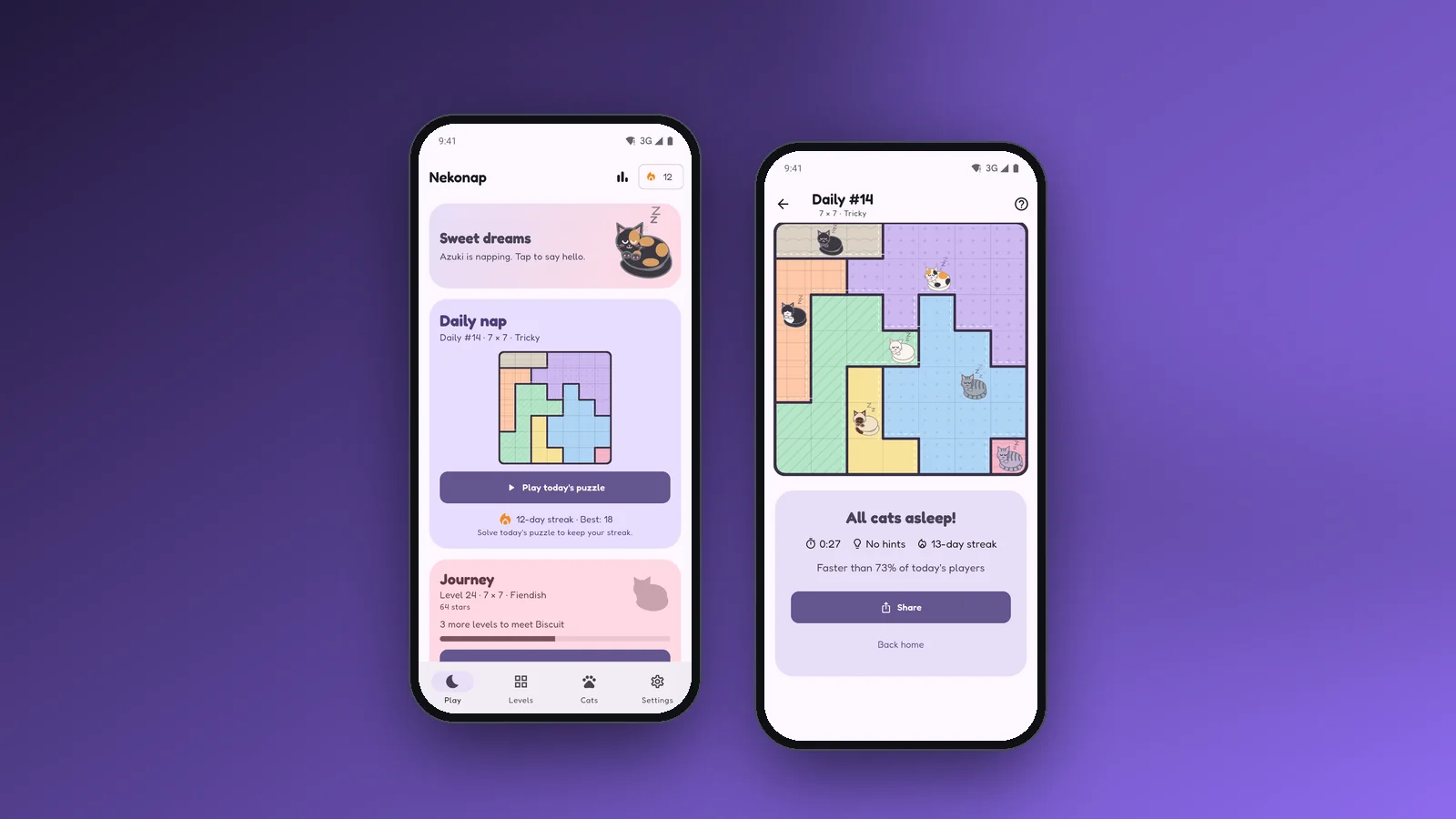 Read more
Nekonap · Logic puzzle
Read more
Nekonap · Logic puzzle
A daily puzzle about sleeping cats
Flutter logic puzzle for Android and iOS: one cat per row, column and patch, the same daily puzzle for everyone and 36 cats, with no ads.
Learn more → Read more
Steel Bastion · Tower defense
Read more
Steel Bastion · Tower defense
A military tower defense on six fronts
Flutter game for Android and iOS: 60 missions against armoured columns, 10 weapons, a daily operation and survival fronts, with no ads.
Learn more →Let's put it in production
Tell us your challenge. We reply within 24 business hours with an honest first read: if we can help, we'll say how; if not, we'll say who can.
I reply personally. No endless forms, no canned replies.