Earthquake warnings that reach iPhones too
Android phones can receive Google's earthquake warnings; iPhones don't. We built Seismic Guard, a Flutter app with native Kotlin and Swift code that relays those warnings to nearby phones and adds alerts from EMSC, SGC and USGS.
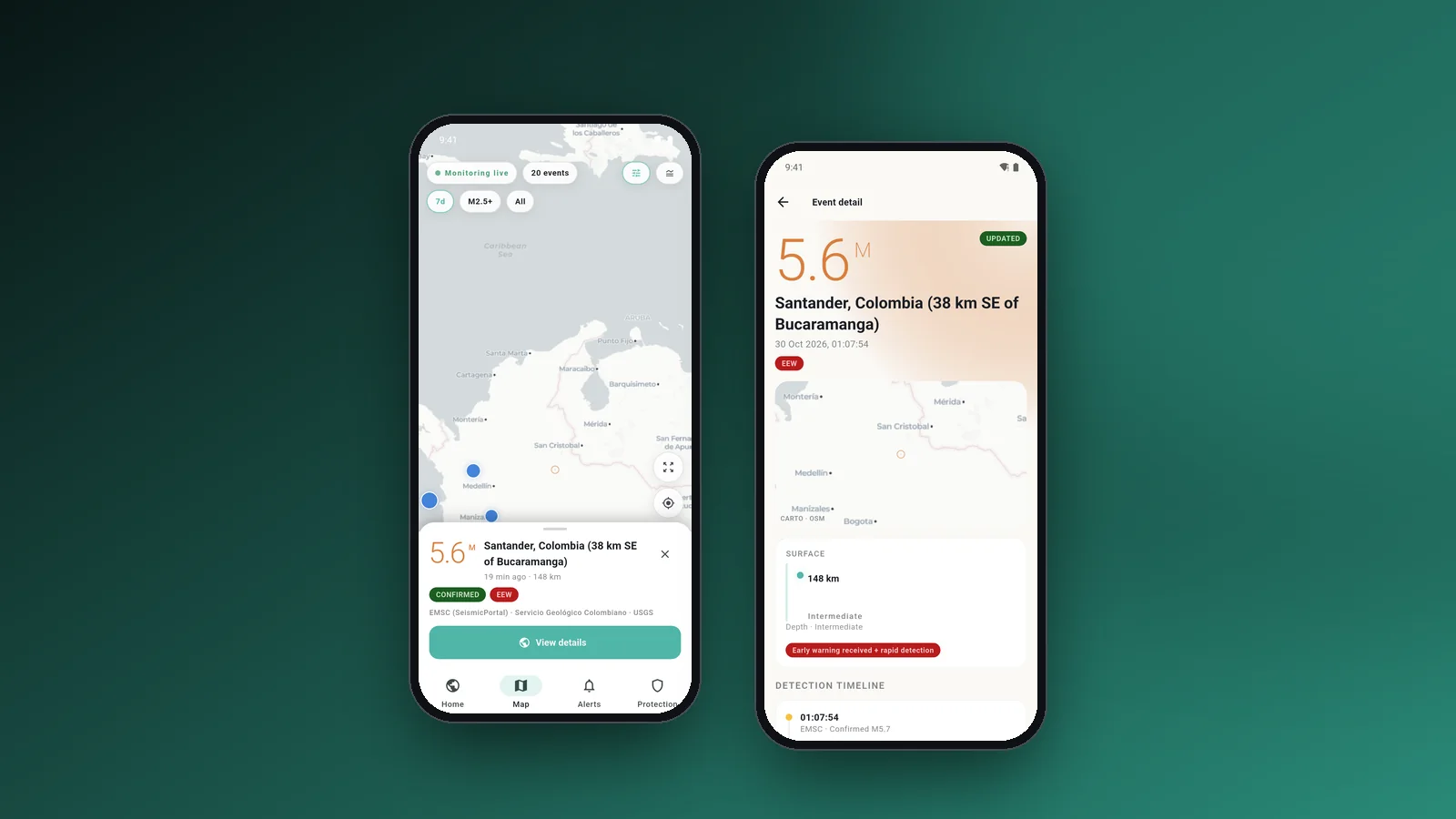
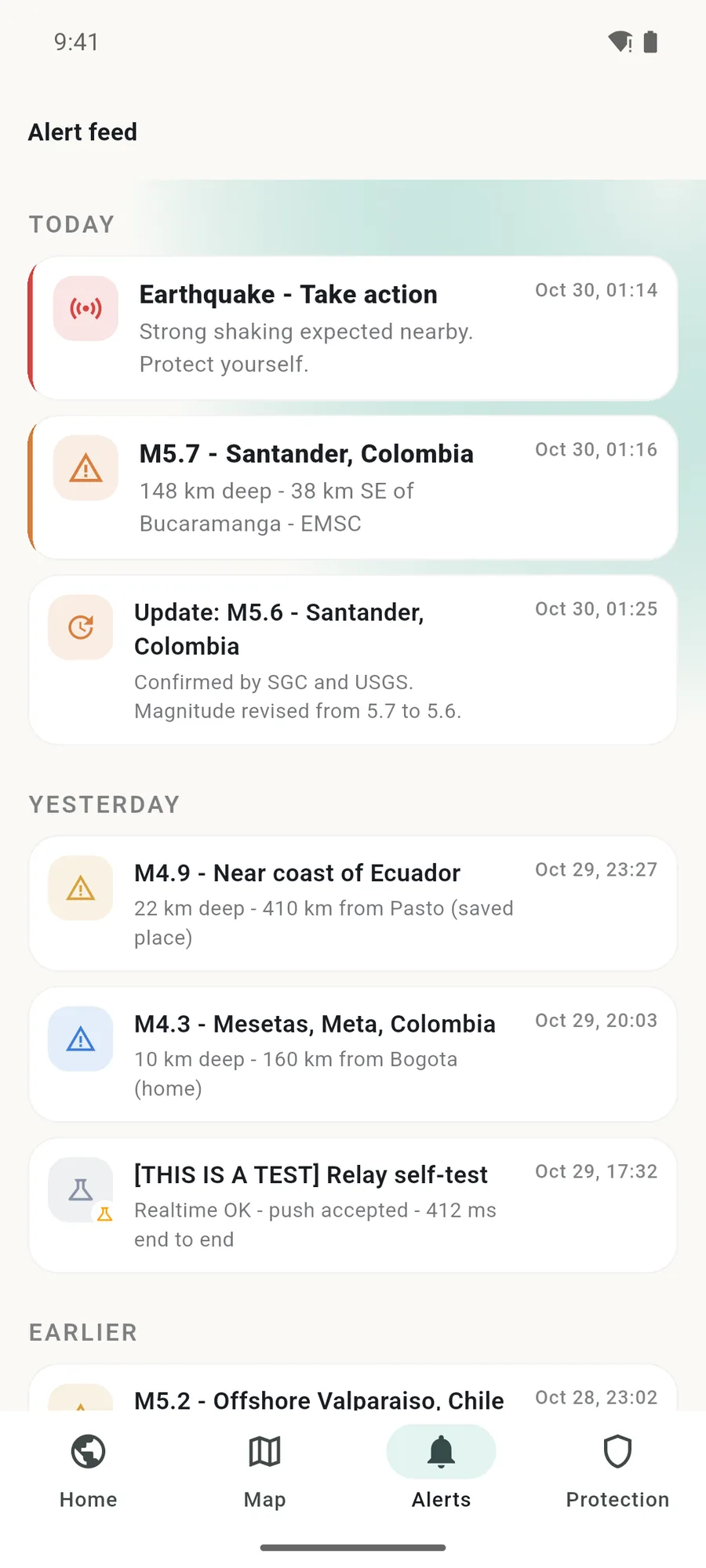
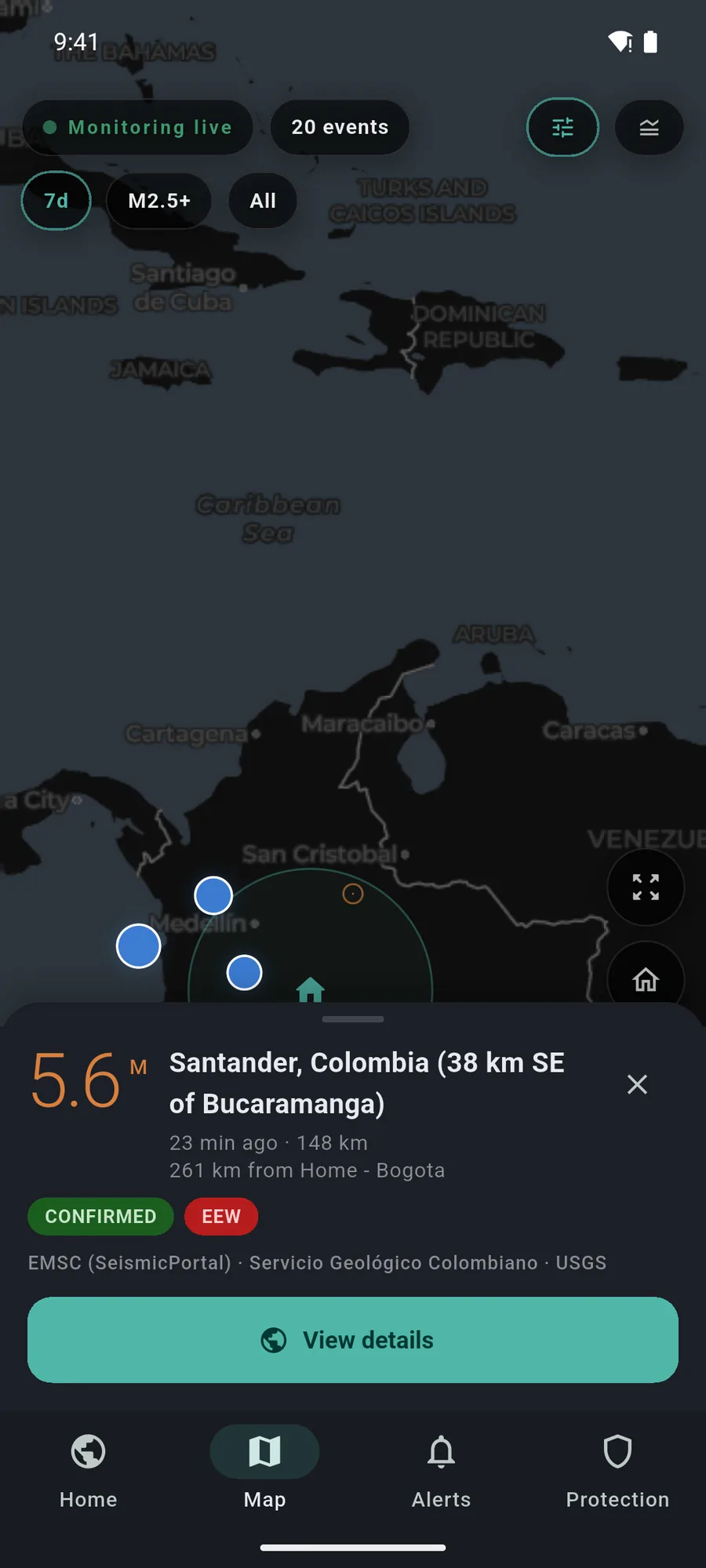
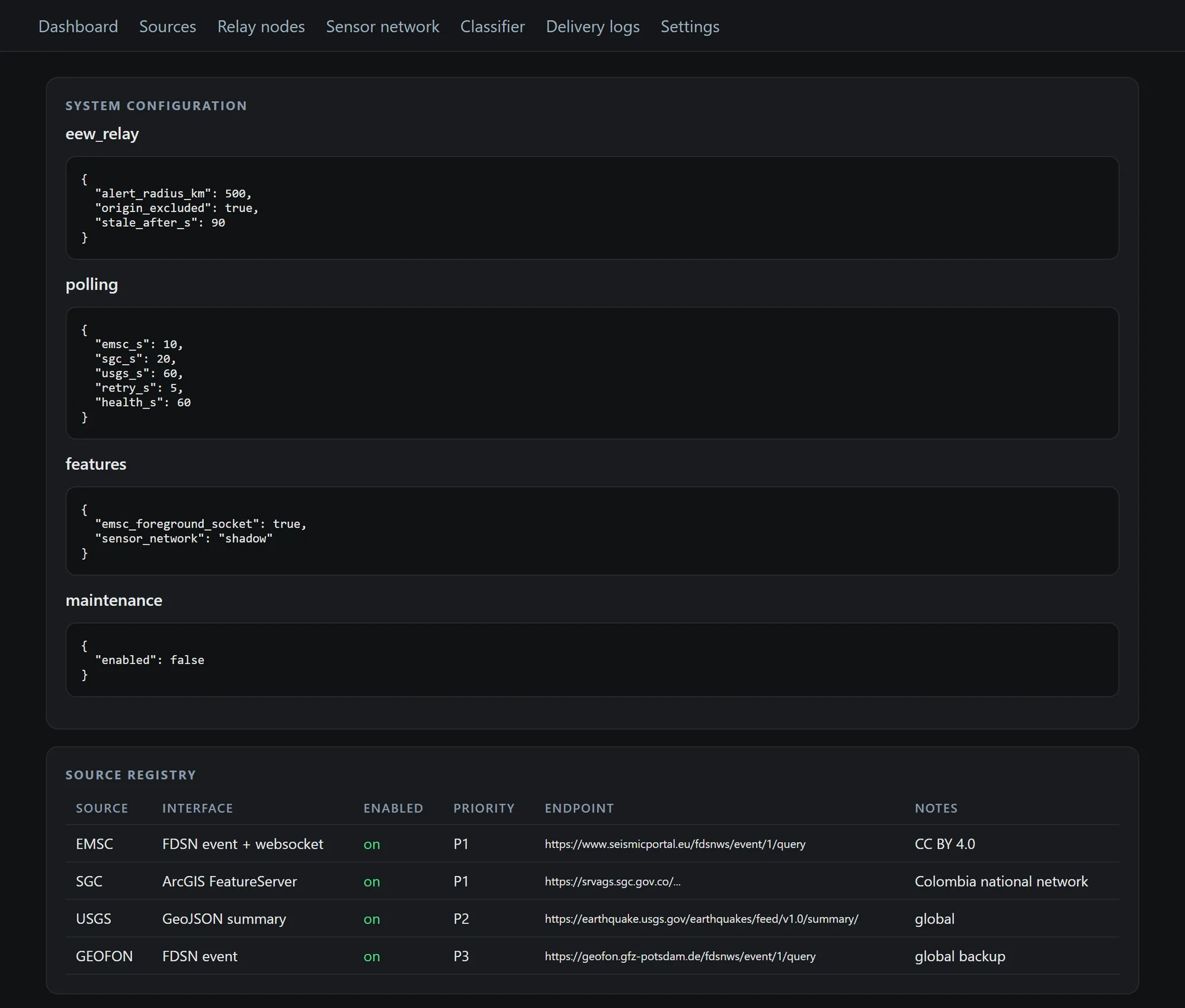
Seismic Guard is our earthquake app for Android and iPhone. It has three detection paths: catalogue alerts from EMSC, SGC, USGS and GEOFON, a relay that forwards Google's Android earthquake warnings to every registered phone within 500 km, and a crowdsourced accelerometer network that still runs in shadow mode. The app is written in Flutter, with native Kotlin and Swift plugins, a Supabase backend and a Next.js admin. The screens on this page come from a demo build with replayed and invented data.
- Client
- Seismic Guard · Earthquake alerts
- Sector
- Earthquake information
- Where
- Bogotá, Colombia
- Year
- 2026
- Deliverables
- Flutter app for Android and iOS
- Native Kotlin relay
- Kotlin and Swift sensor plugin
- Supabase backend: 17 Edge Functions
- Next.js web admin
The iPhone misses the Android warning
Google sends earthquake warnings to Android phones in the regions it covers, and the warning appears in Android's own interface. An iPhone on the same table gets nothing, so in a household with mixed phones some people are warned and others aren't.
Catalogues from the Servicio Geológico Colombiano (SGC), EMSC and USGS publish an event once the shaking has begun. They inform; they can't warn ahead. We wanted one app that takes both signals without blurring them, and that tells each person honestly whether their phone is set up for the alert to get through.
Three detection paths, kept apart
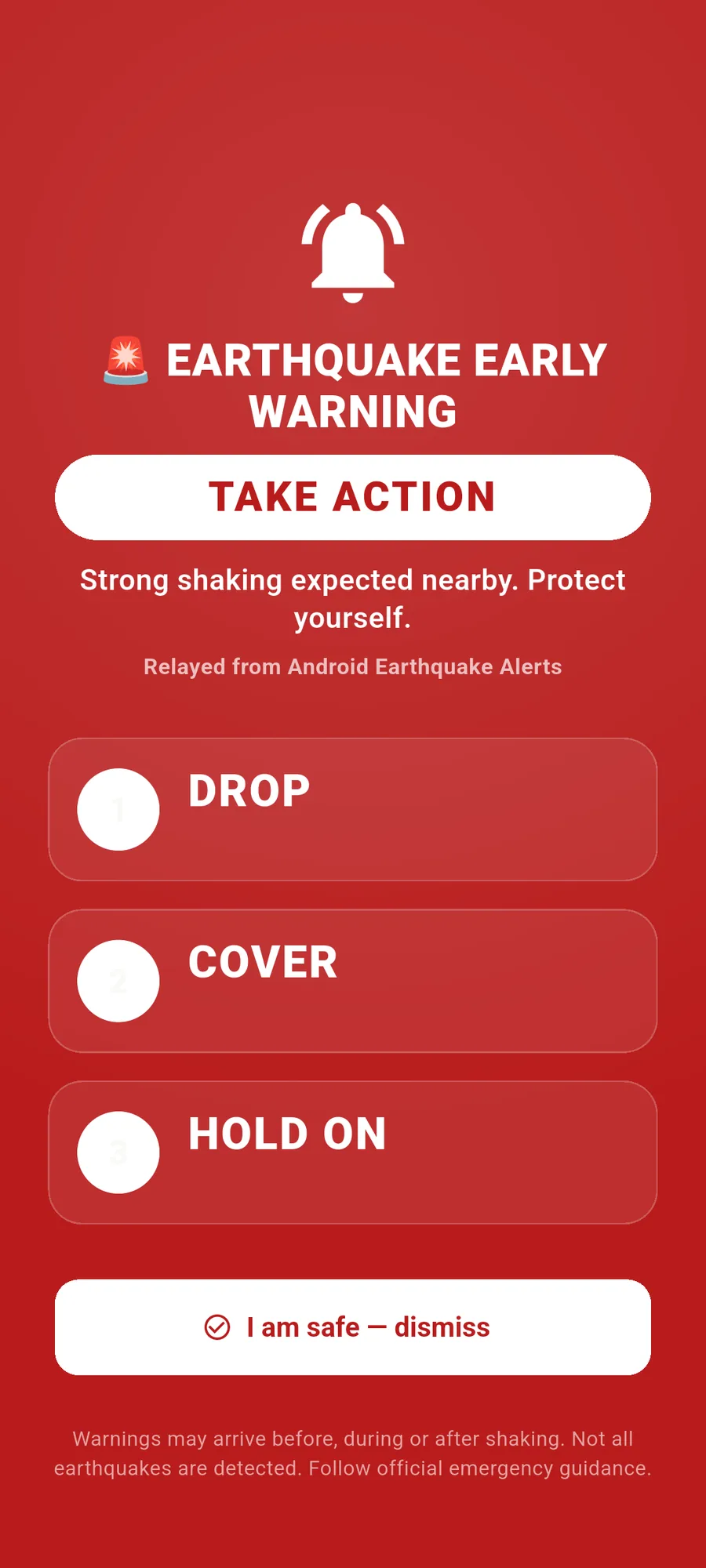
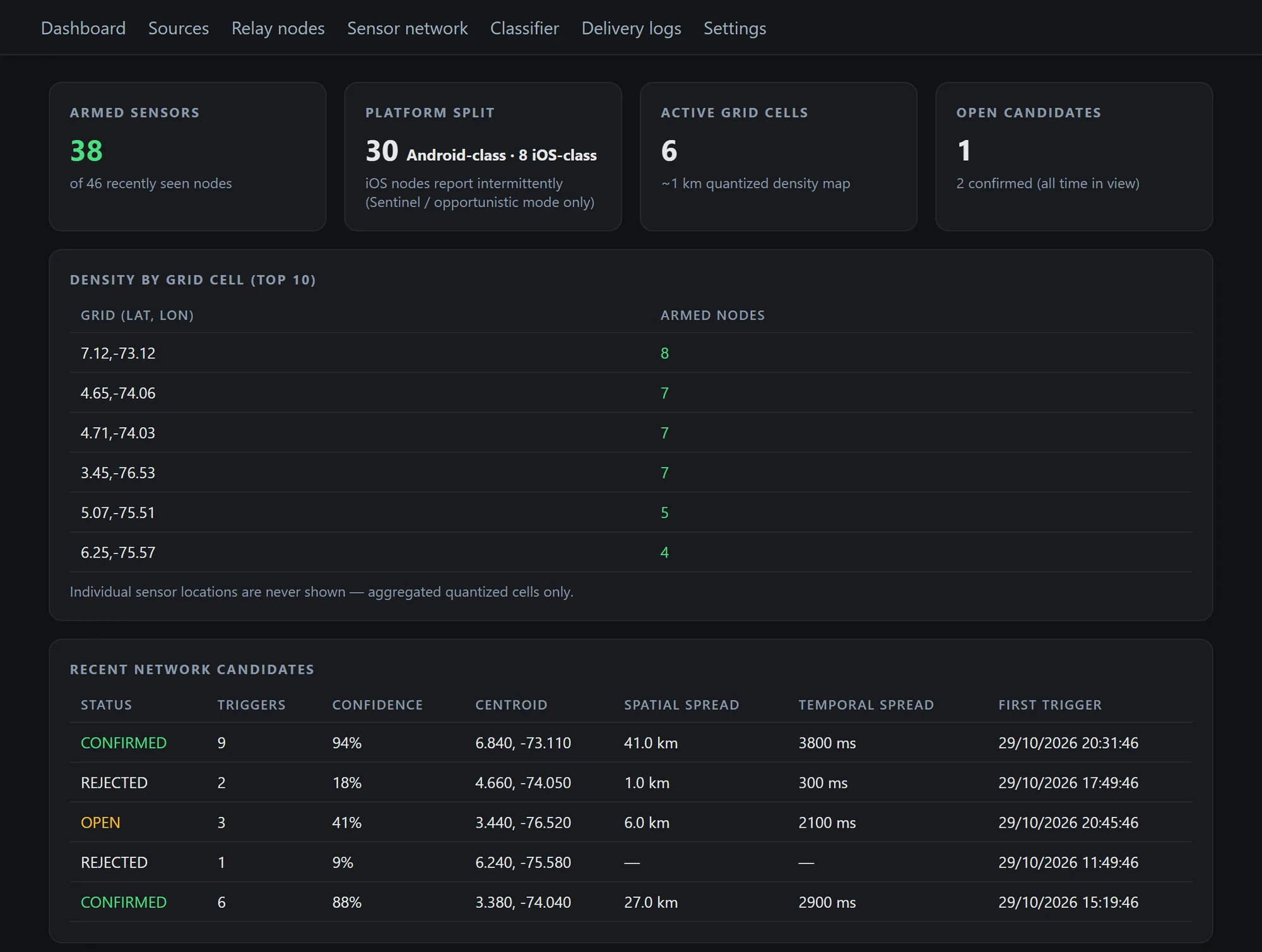
The relay is native Kotlin. On an Android phone with notification access, a NotificationListenerService spots Google's warning, scores it with a local classifier and sends it, HMAC-signed, to a Supabase Edge Function. The server fans it out to every registered device inside the alert radius (500 km by default), Android or iPhone, with no pairing. Every other notification is classified on the phone and never leaves it. Flutter is out of that path, so the relay keeps working when the app's interface is closed.
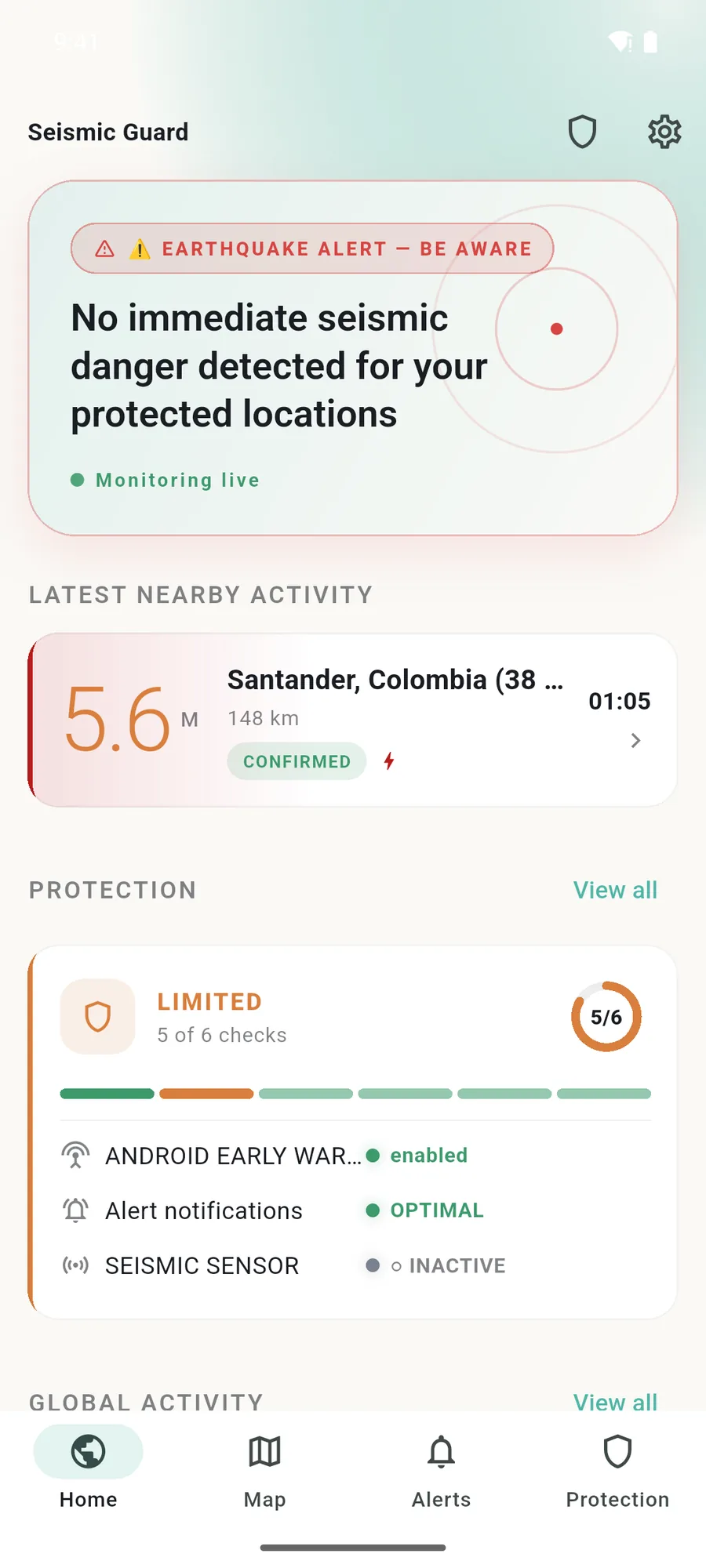
The second path polls EMSC every 10 seconds, SGC every 20 and USGS every 60 (default intervals), then normalises, deduplicates and correlates the events. A catalogue event is labelled as a rapid detection and is never shown as an early warning. The third path turns phones into sensors: a two-stage detector in Kotlin and Swift sends triggers, and only server-side consensus from at least five credible phones can confirm an event. It ships in shadow mode, detecting without alerting, until it has been checked against real SGC and EMSC events.
Behind the app are 15 SQL migrations, 17 Edge Functions in Deno and a seven-page Next.js admin for sources, relay nodes, the sensor network, classifier rules and delivery logs. The interface comes in 11 languages, with Drop, Cover, Hold On phrased the way each locale says it.
-
01
Android warnings, relayed to iPhone
An Android phone that receives Google's warning passes it on to every registered phone within 500 km. iPhones get it as an APNs push, with no Firebase needed on that path.
-
02
Early warning and catalogue kept apart
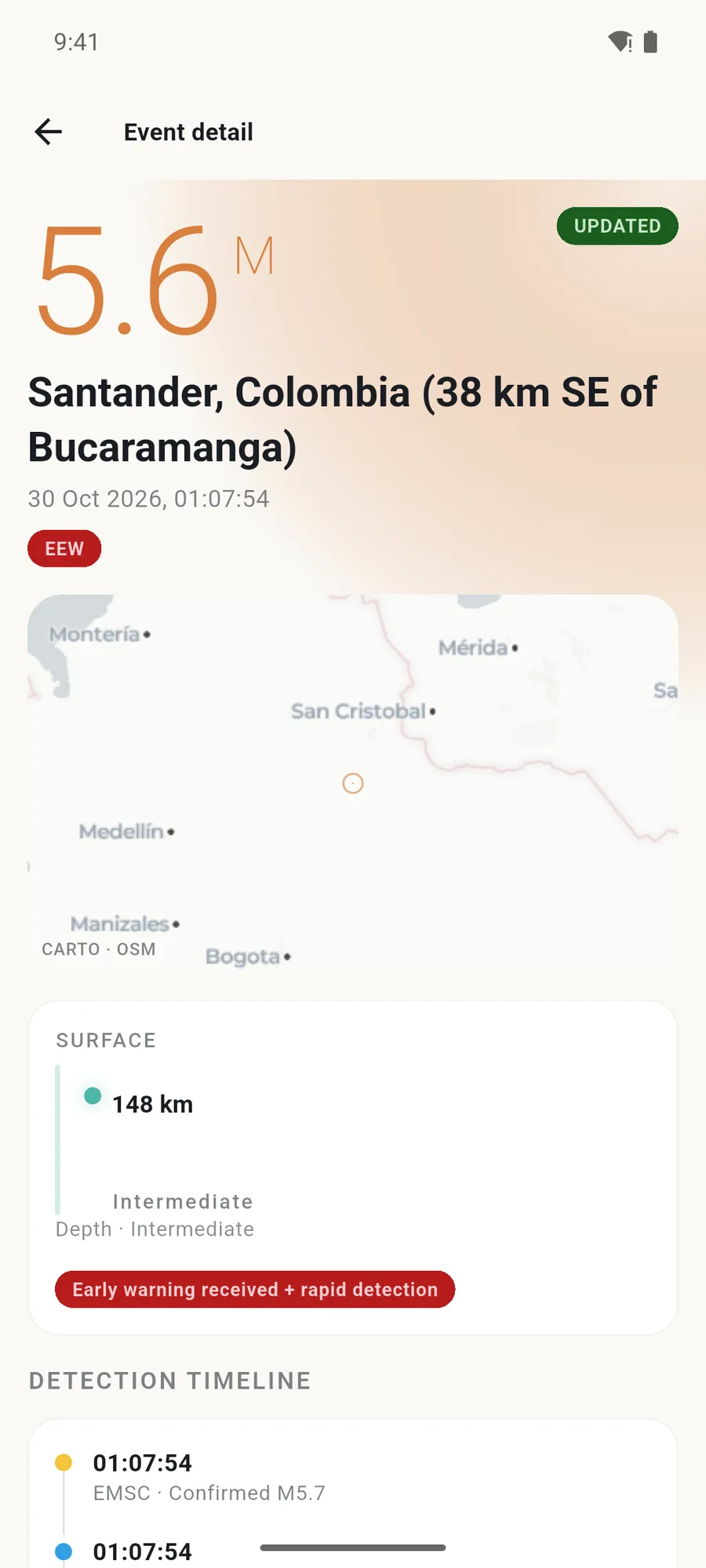
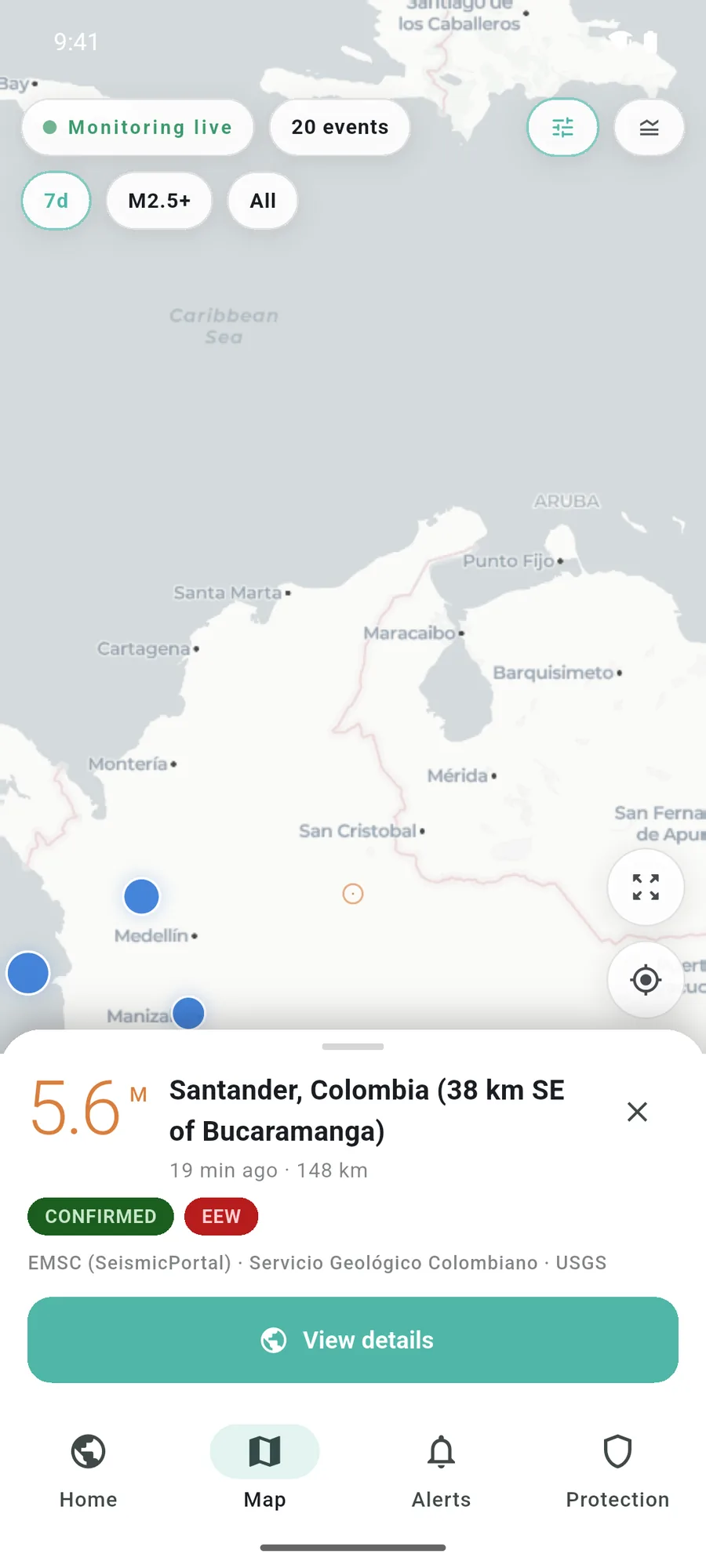
A relayed warning is labelled as an early warning; an EMSC, SGC or USGS event is a rapid detection. Each event shows which source saw it, and at what time.
-
03
Protection Center
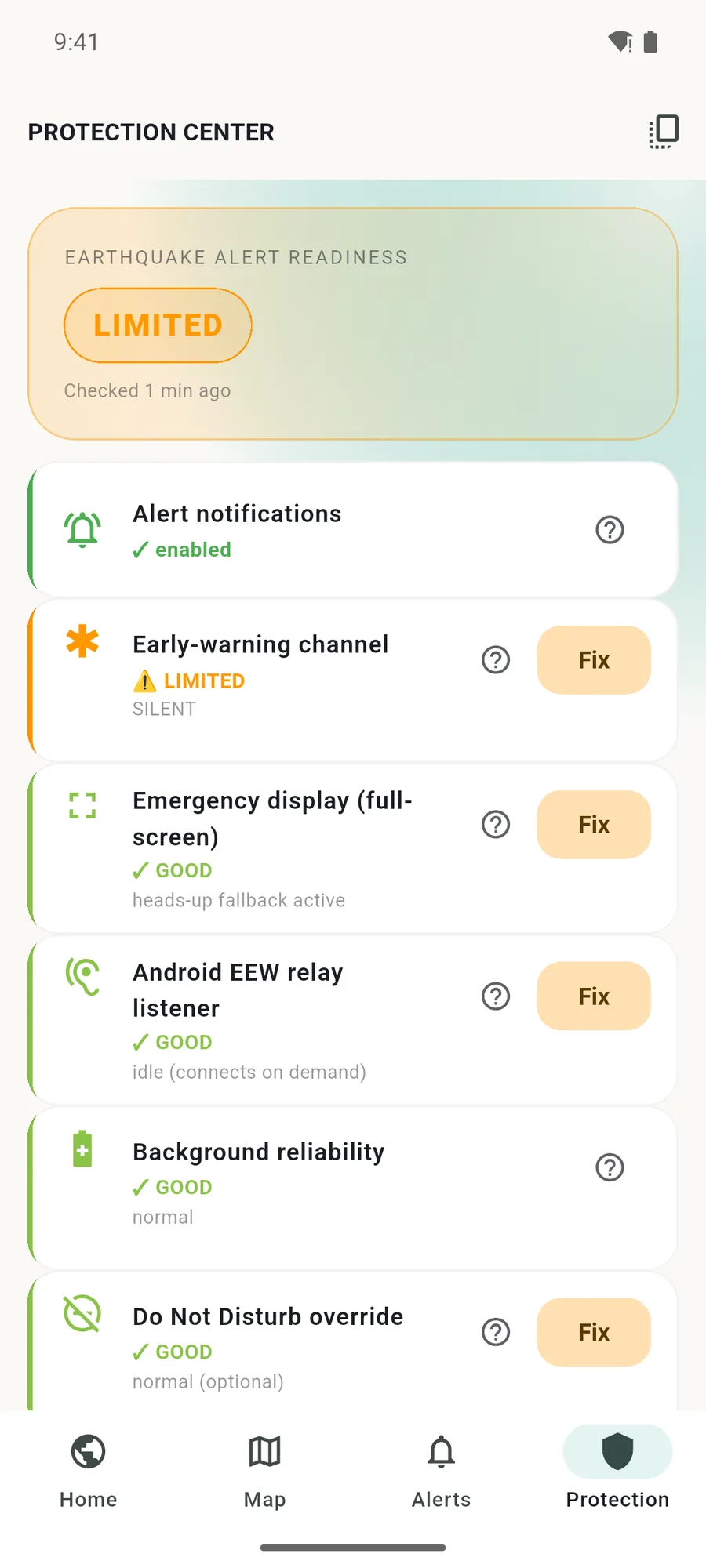
The app checks six conditions that decide whether an alert gets through, such as the notification channel, full-screen display, battery and Do Not Disturb, scores them and offers a one-tap fix for each.
-
04
Notification access stays on the phone
Only what the classifier scores at 95 or above, a confirmed Google warning, is uploaded. Other apps' notifications are filtered on the phone and are never stored or sent.
The project in pictures
9 images · Open any image to see it full size.
What is in place, and what is still open
Seismic Guard is at version 1.0.0, with 34 Flutter test cases, a backend suite and CI that blocks a release if localisation, native Android tests or the secret audit fail. Two items are open and documented as such. Google does not guarantee that its warning is visible to third-party apps, so the relay is trusted only after a real alert has been inspected on a device; the app's EEW Inspector exists for that check. The sensor network stays in shadow mode until its thresholds are calibrated.
The app says it on screen: it is an additional earthquake information channel, it does not replace official emergency systems, and alerts may arrive before, during or after shaking.
- 3 detection paths: if one fails, the others keep running
- 11 languages, 34 mobile tests, 17 Edge Functions
- Data: EMSC (CC BY 4.0), SGC and USGS; maps © CARTO and OpenStreetMap contributors
- Screens and video on this page: demo build, replayed and invented data, simulated alarm
The questions we hear often
Does Seismic Guard work on iPhone?
Yes. iPhones don't receive Android's earthquake warnings, but when a registered Android phone gets one, our server pushes it to iPhones inside the alert radius, 500 km by default. iPhones also get the catalogue alerts from EMSC, SGC and USGS.
Does the app predict earthquakes?
No app can. Seismic Guard relays early warnings when they exist and reports events detected by scientific networks. Not every earthquake is detected, and an alert may arrive before, during or after shaking.
Where does the data come from?
From EMSC (licensed CC BY 4.0), the Servicio Geológico Colombiano, USGS and GEOFON as a backup, plus relayed Android warnings. Maps use CARTO tiles with OpenStreetMap data.

Cases close to this one
 Read more
Veto · Private messenger
Read more
Veto · Private messenger
E2E messaging without a phone number
Extreme-privacy messenger: local identity with no phone number, end-to-end encryption, PIN vault and multi-relay delivery: operators see ciphertext only, never plaintext.
Learn more →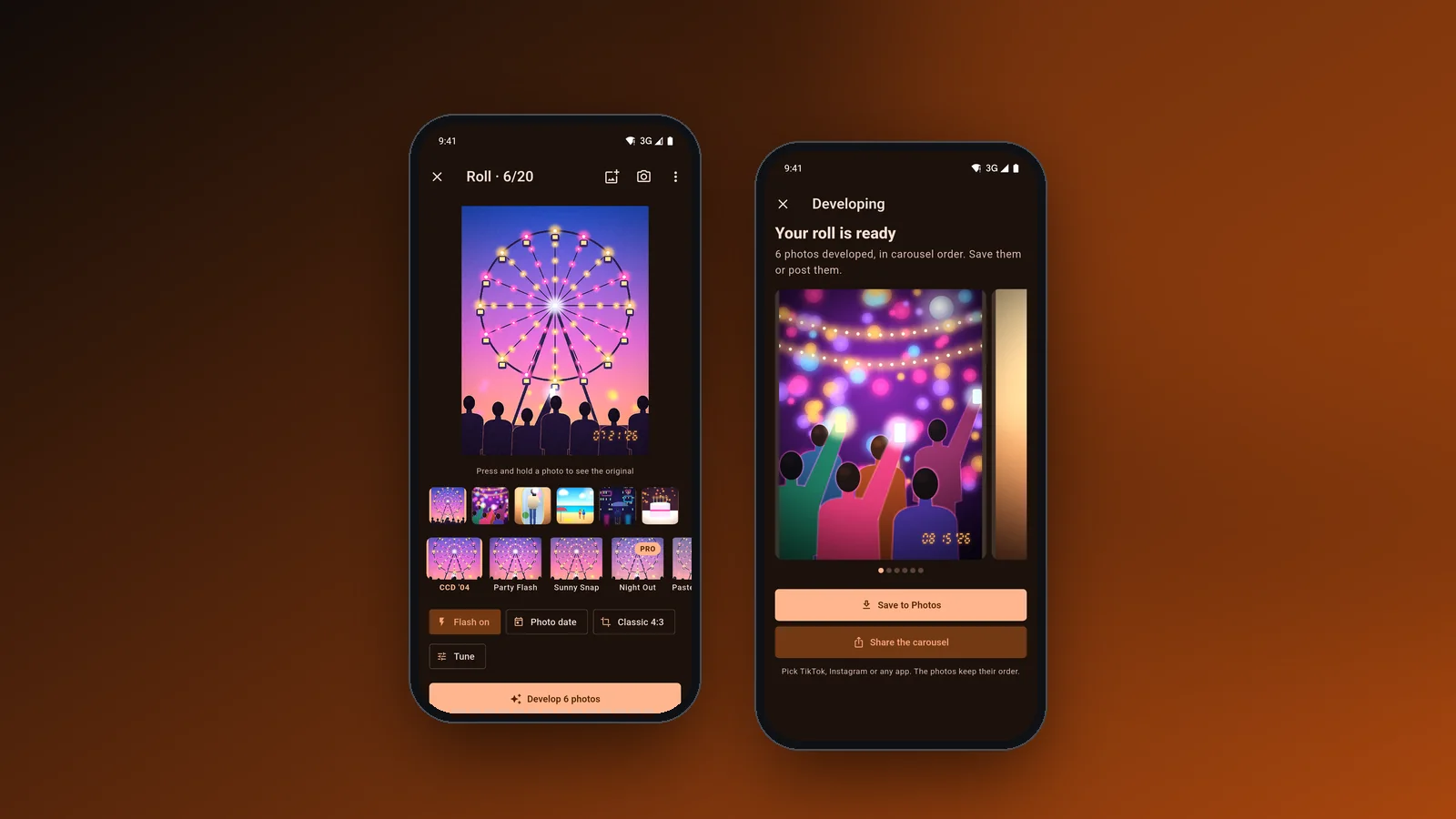 Read more
Flashdays · Photo app
Read more
Flashdays · Photo app
A camera roll developed like it's 2006
Flutter app for Android and iOS that gives a whole roll the look of a 2000s compact camera and exports it as a carousel, developed on the phone's GPU.
Learn more →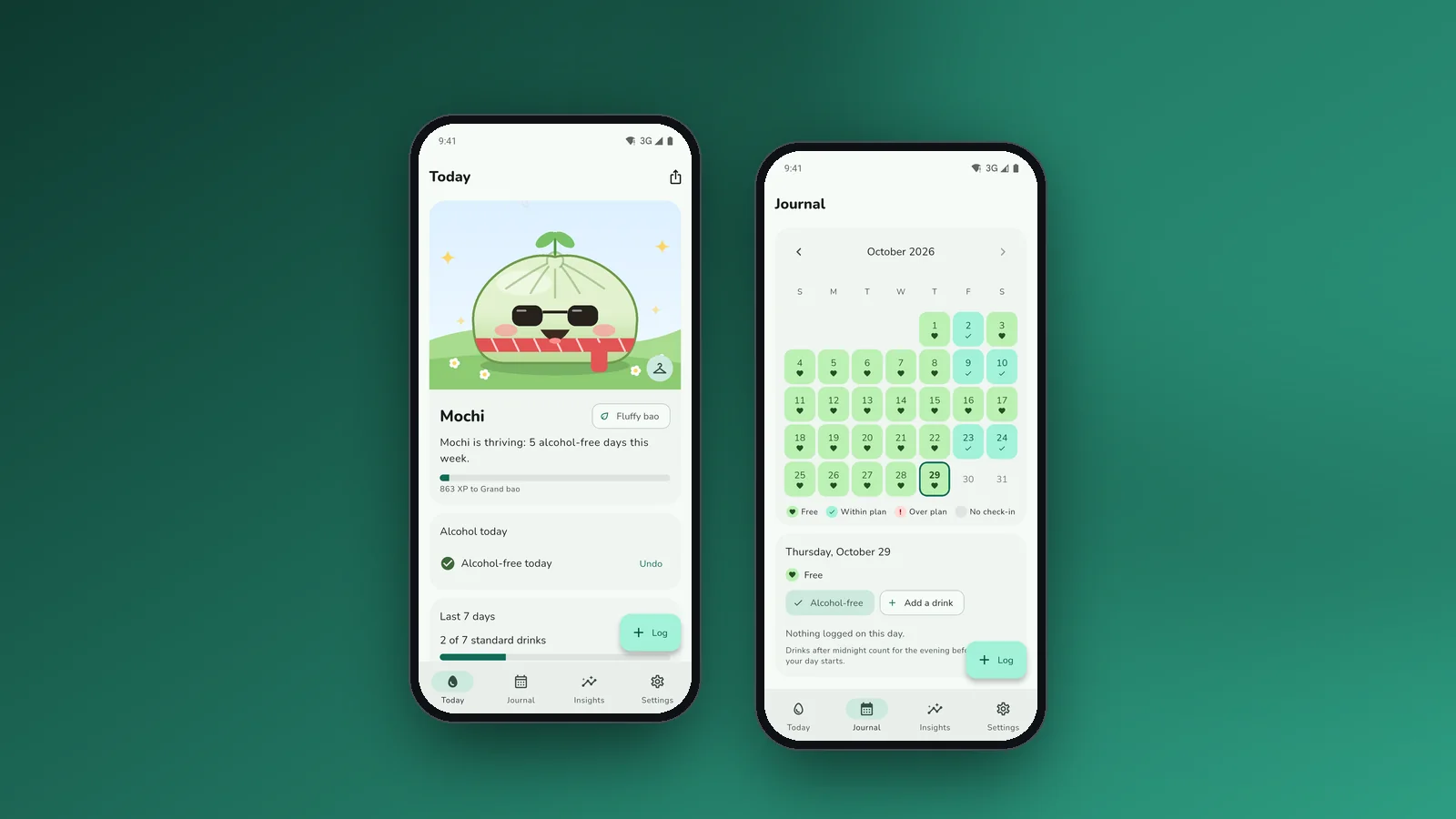 Read more
Dampling · Drink less
Read more
Dampling · Drink less
Drink less, and watch a pet grow
Flutter app for Android and iOS: an alcohol and nicotine journal that keeps its data on the phone, and a dumpling pet that grows on alcohol-free days.
Learn more →Let's put it in production
Tell us your challenge. We reply within 24 business hours with an honest first read: if we can help, we'll say how; if not, we'll say who can.
I reply personally. No endless forms, no canned replies.