The bots on your PC, in your pocket
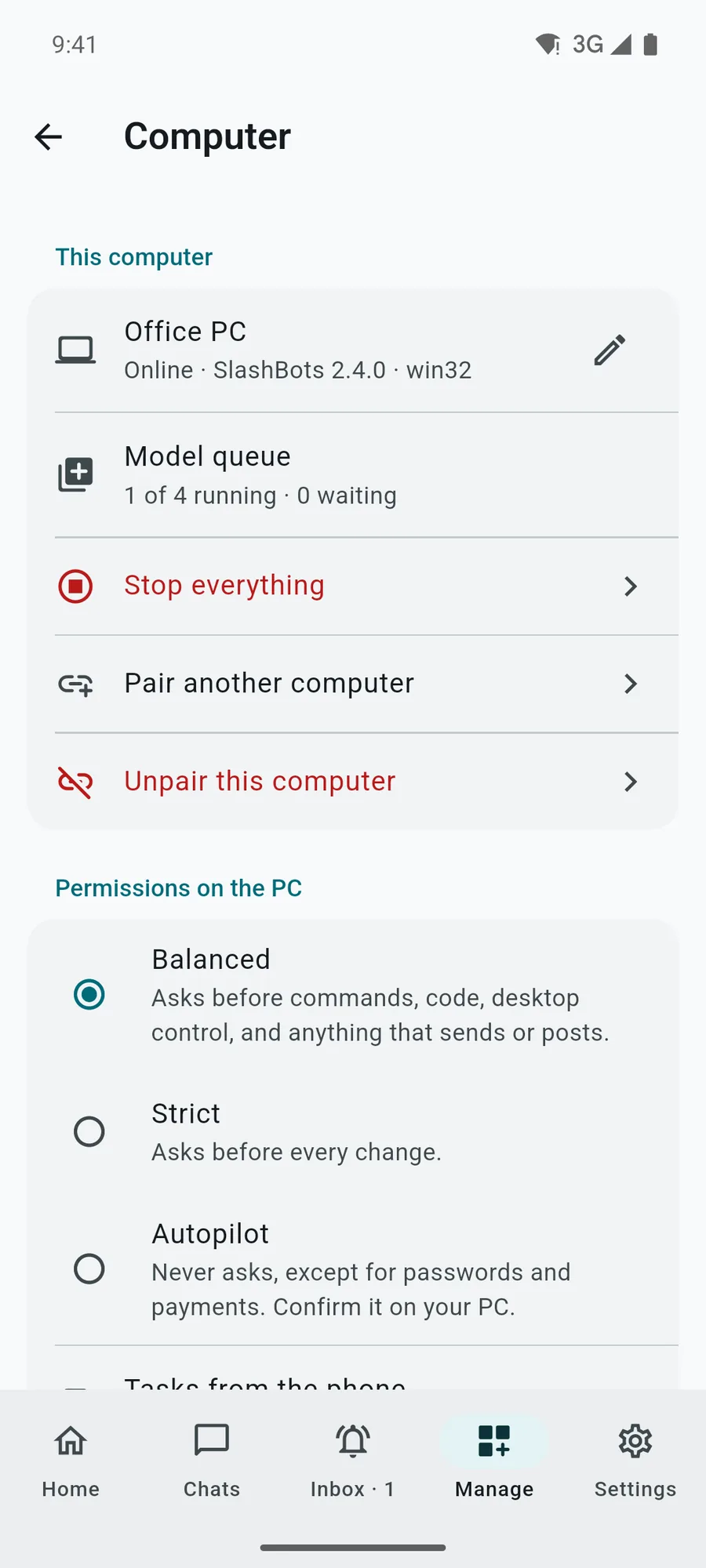
SlashBots runs AI agents on a Windows or Linux PC. We built its Android and iOS app so that when a bot stops for an approval or a question, you answer from your phone, and everything the desktop app does can be managed away from the desk.
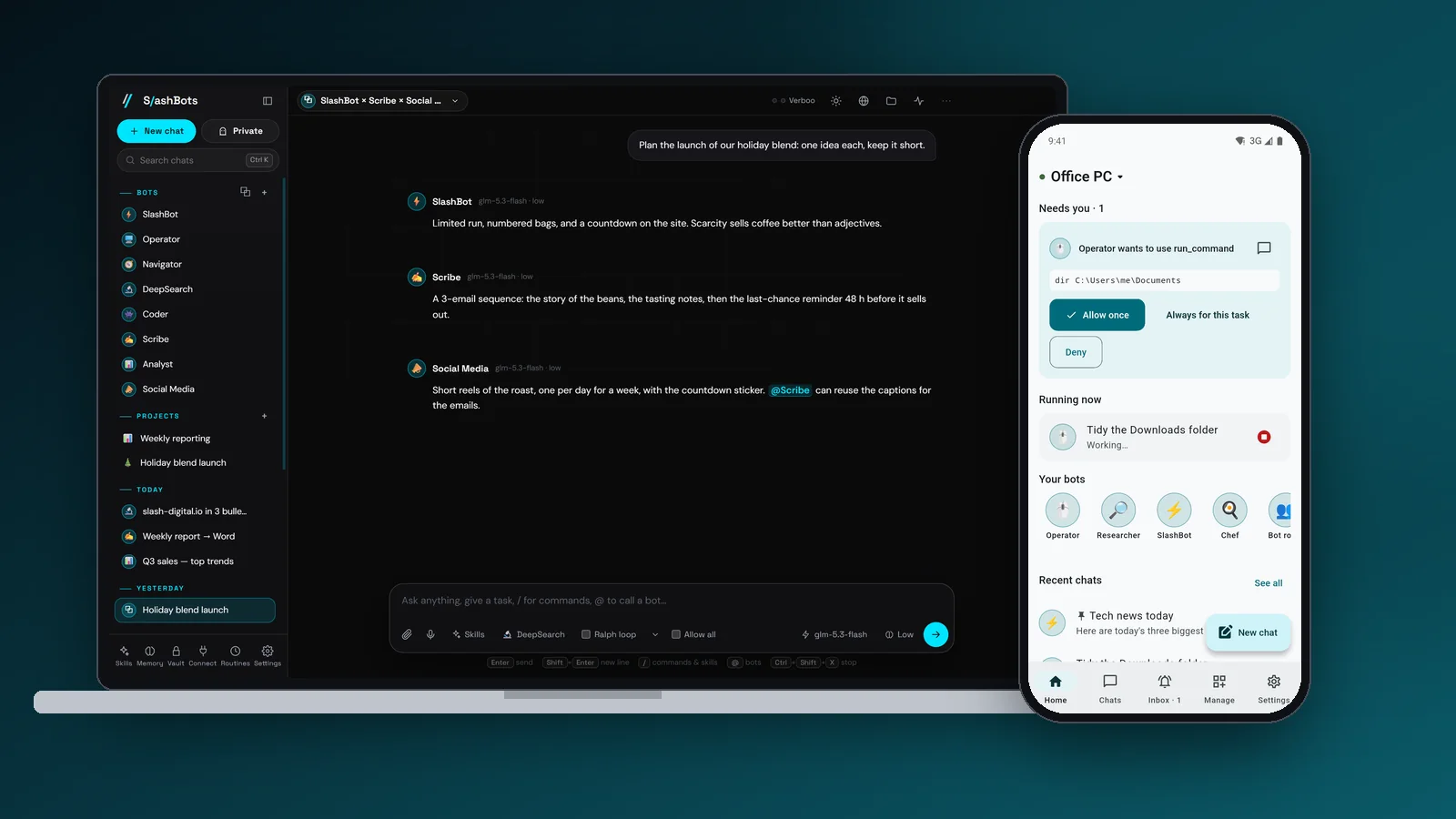
The SlashBots phone app pairs with the SlashBots desktop app. From the phone you chat with the PC's bots, allow or deny the commands they want to run, answer their questions, stop a task, and edit bots, routines, memory, skills, rules and projects. The bots and models stay on the PC. The phone sends commands to an encrypted relay in Frankfurt that the PC calls out to, so nothing on the internet can reach the computer. Screens and video come from a test build with a sample PC.
- Client
- SlashBots · Phone app
- Sector
- AI agents, mobile
- Where
- Bogotá, Colombia
- Year
- 2026
- Deliverables
- Flutter app for Android and iOS
- QR and code pairing, confirmed on the PC
- Relay server with encryption at rest
- Push notifications for approvals and questions
- 10 languages, Arabic RTL included
- Services
Bots that wait when nobody is at the PC
SlashBots bots browse, write files and use the computer. In the Balanced permission mode, the desktop app asks before commands, code, desktop control and anything that sends or posts. When nobody is at the PC, a long task stops on that question and waits. Routines and settings could only be changed at the desk.
The team asked for the phone to do everything the PC does. We took that literally, except for anything that touches secrets, which stays on the computer.
Every desktop action, checked one by one
We listed all 137 actions of the desktop app and decided, for each one, whether it runs from the phone as a command, arrives as synced data, or stays on the PC on purpose. Password vault contents, API keys, model providers and connector credentials never leave the computer; the phone can lock the vault but not open it. A script compares that table with the desktop code, so a new desktop feature shows up as a gap before a release.
Pairing starts on the PC, which shows a QR code and an 8-character code that works once and expires after 10 minutes. The phone claims it, and the PC asks whether to allow that phone, next to a 4-digit match code that must be the same on both screens. Nothing is linked until someone clicks Allow at the computer, so a code seen in a screen share is useless on its own.
The desktop app never opens a port. It makes outbound HTTPS calls to the relay, checks a small doorbell file in object storage every 3 seconds and syncs only when it rings, so an idle PC causes no database queries. Messages, cards and commands are encrypted at rest with AES-256-GCM. Push notifications carry generic text (“Operator needs your OK”), so no chat content goes through Apple or Google. Private chats are not relayed.
-
01
Approve from anywhere
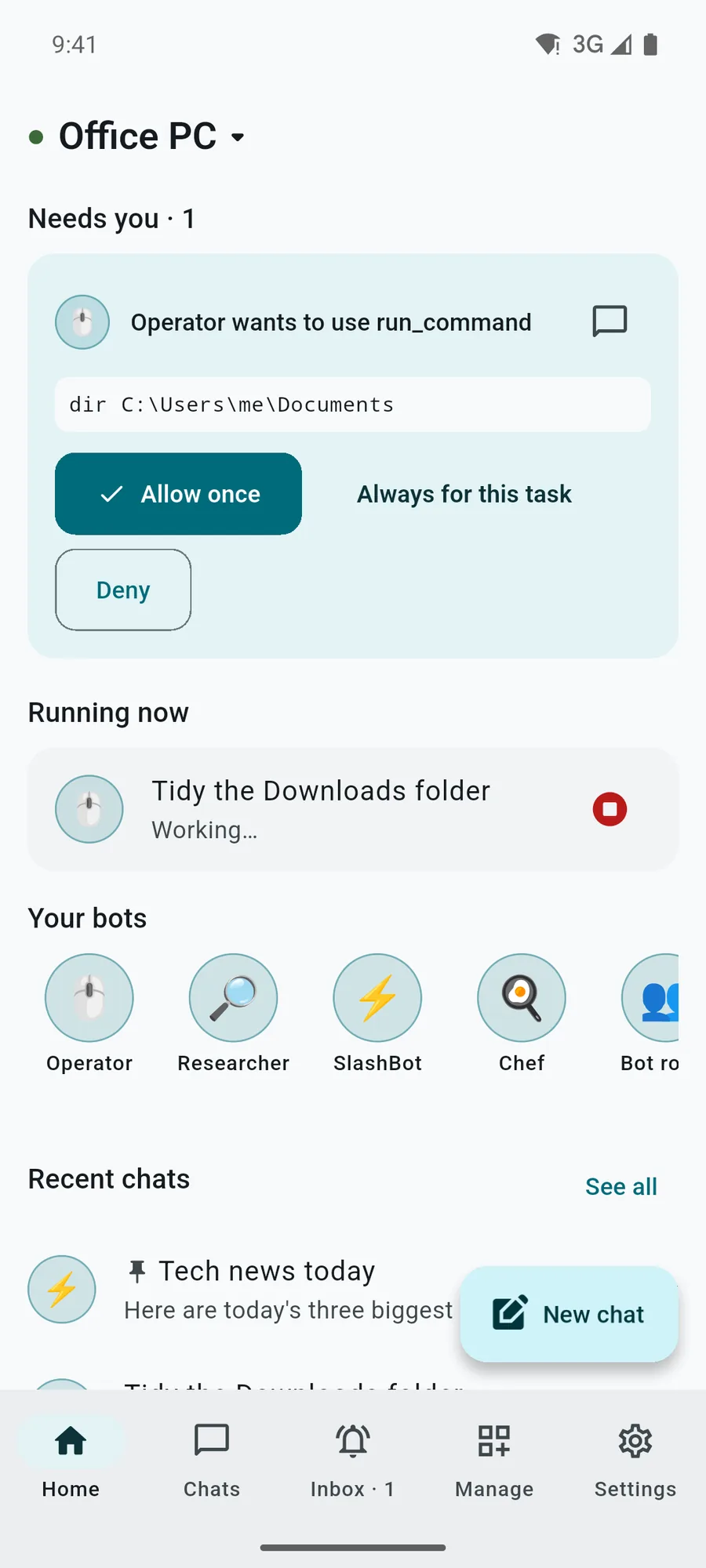
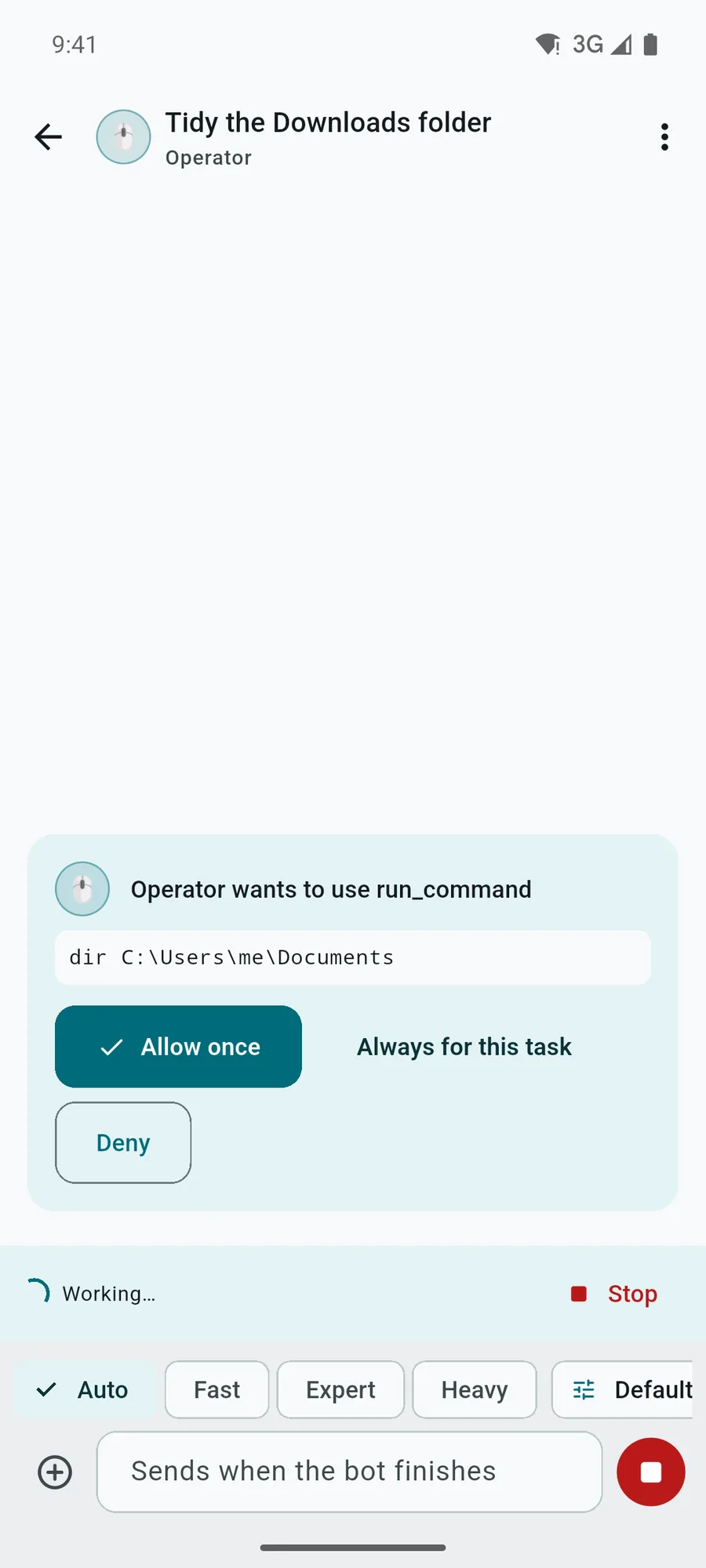
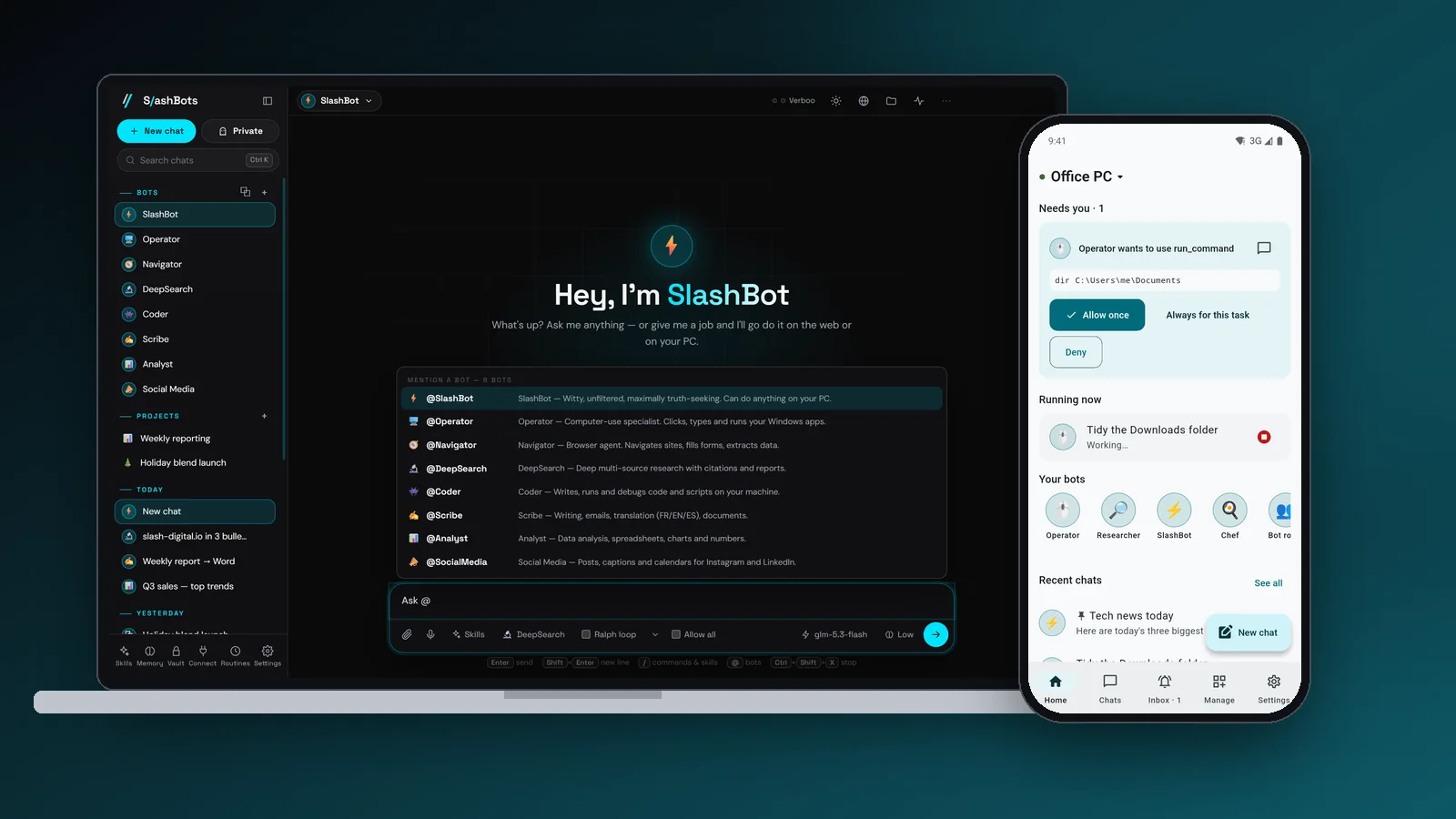
The card shows the exact command, such as a dir on the Documents folder, with Allow once, Always for this task and Deny. The PC records that it was allowed from a phone.
-
02
The full composer
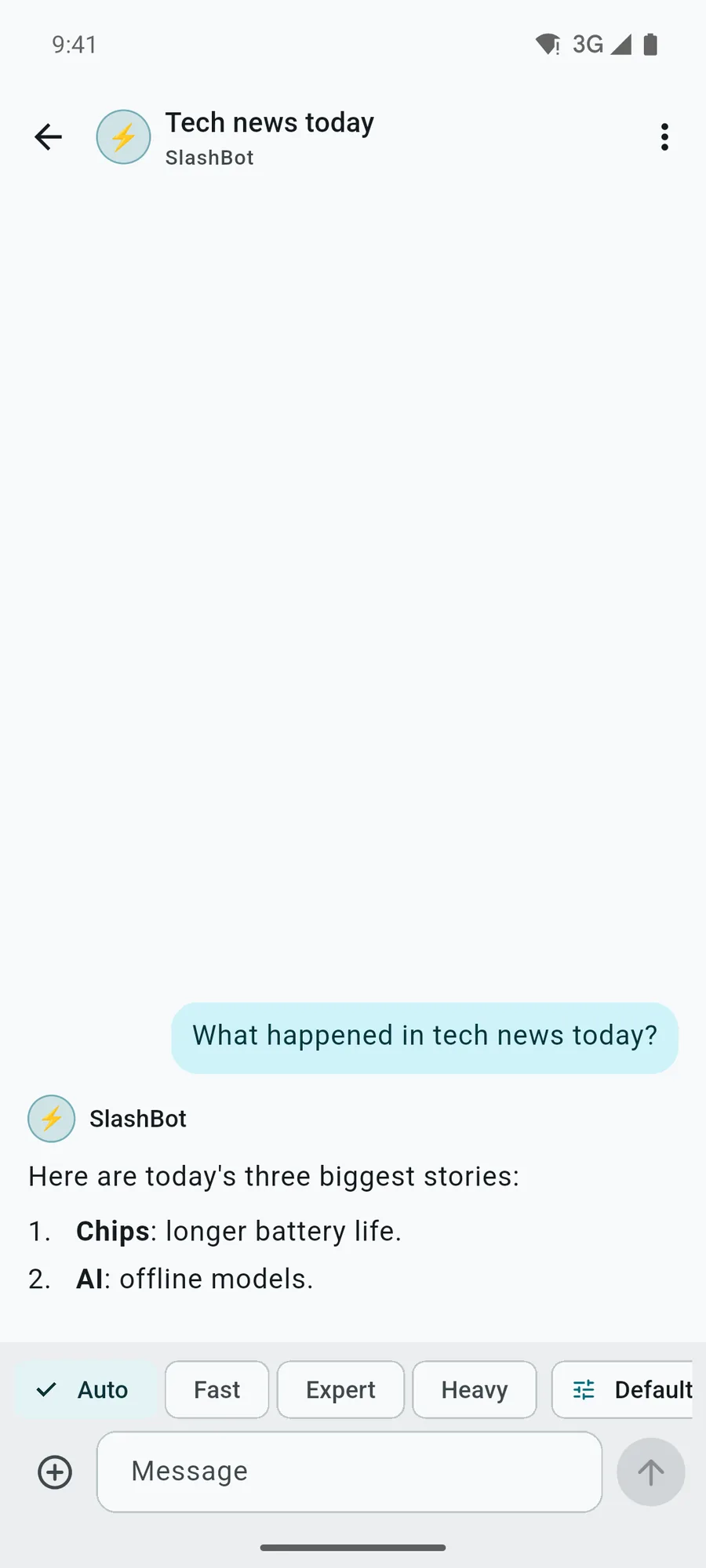
Auto, Fast, Expert and Heavy modes, a model and reasoning level per message, @mentions, commands such as /browse and /remember, and attachments from the camera or files.
-
03
The PC stays in charge
A phone command has the authority of a click in the desktop app, within the PC's permission mode and its switches for allowing tasks and approvals from the phone.
-
04
Several computers
One phone pairs with several PCs, renames and unpairs them; an optional account keeps them when you change phones.
The project in pictures
8 images · Open any image to see it full size.
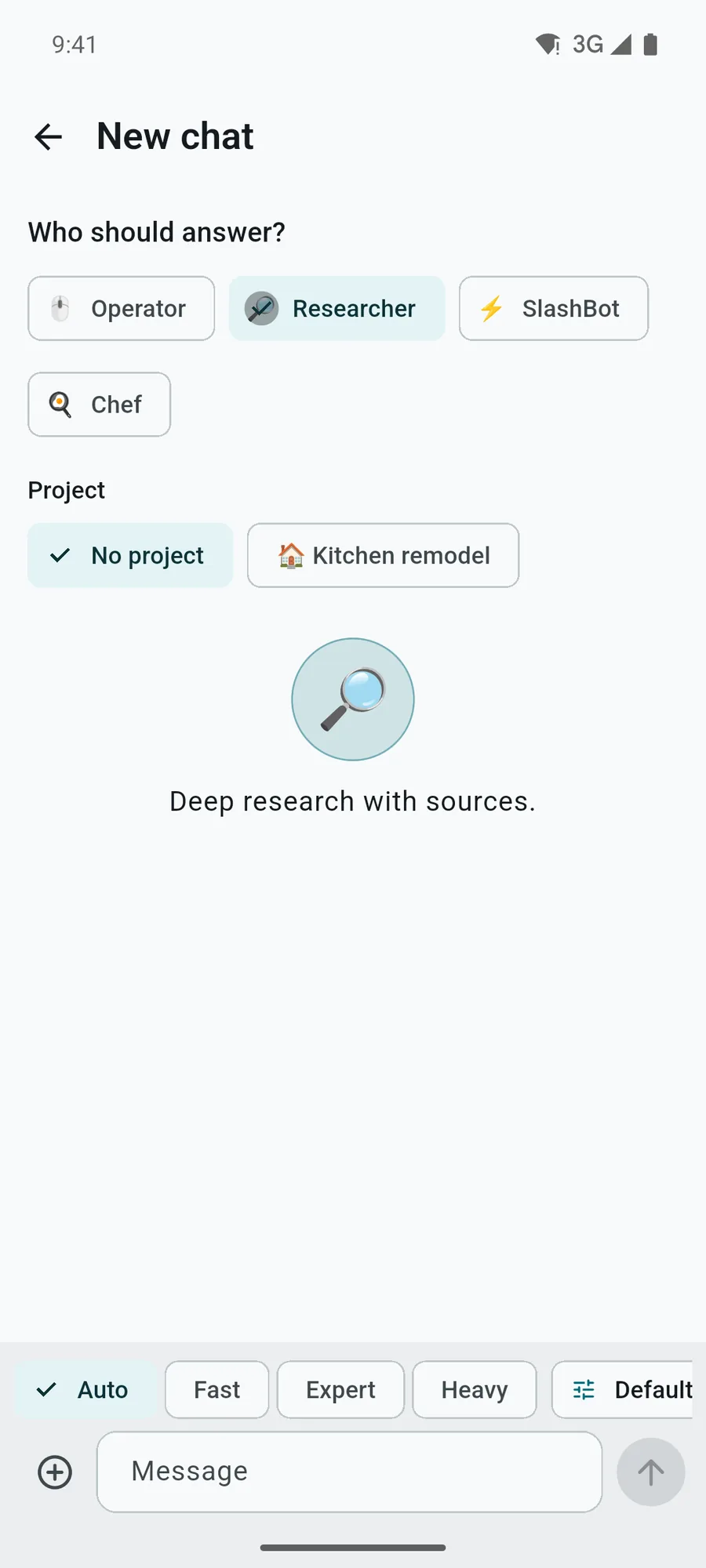
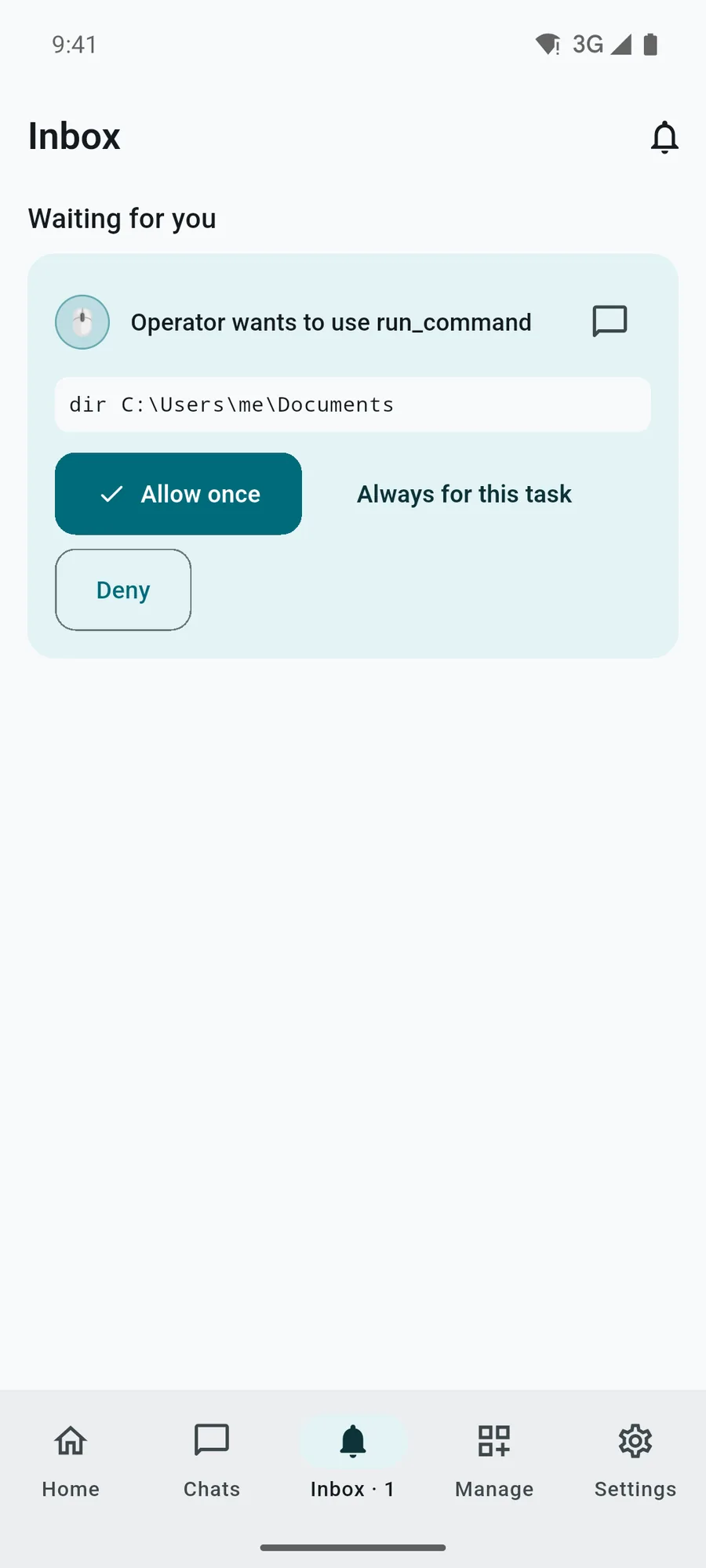
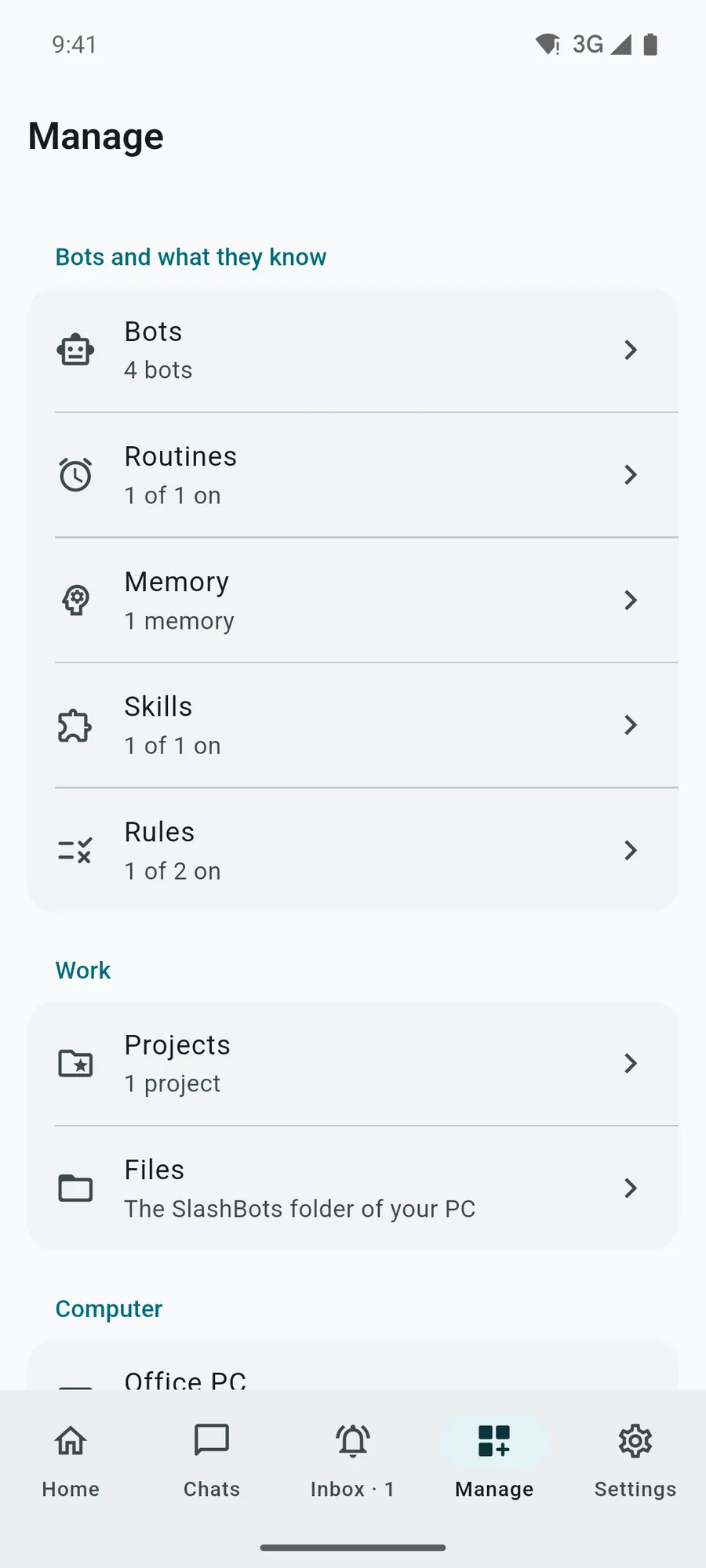
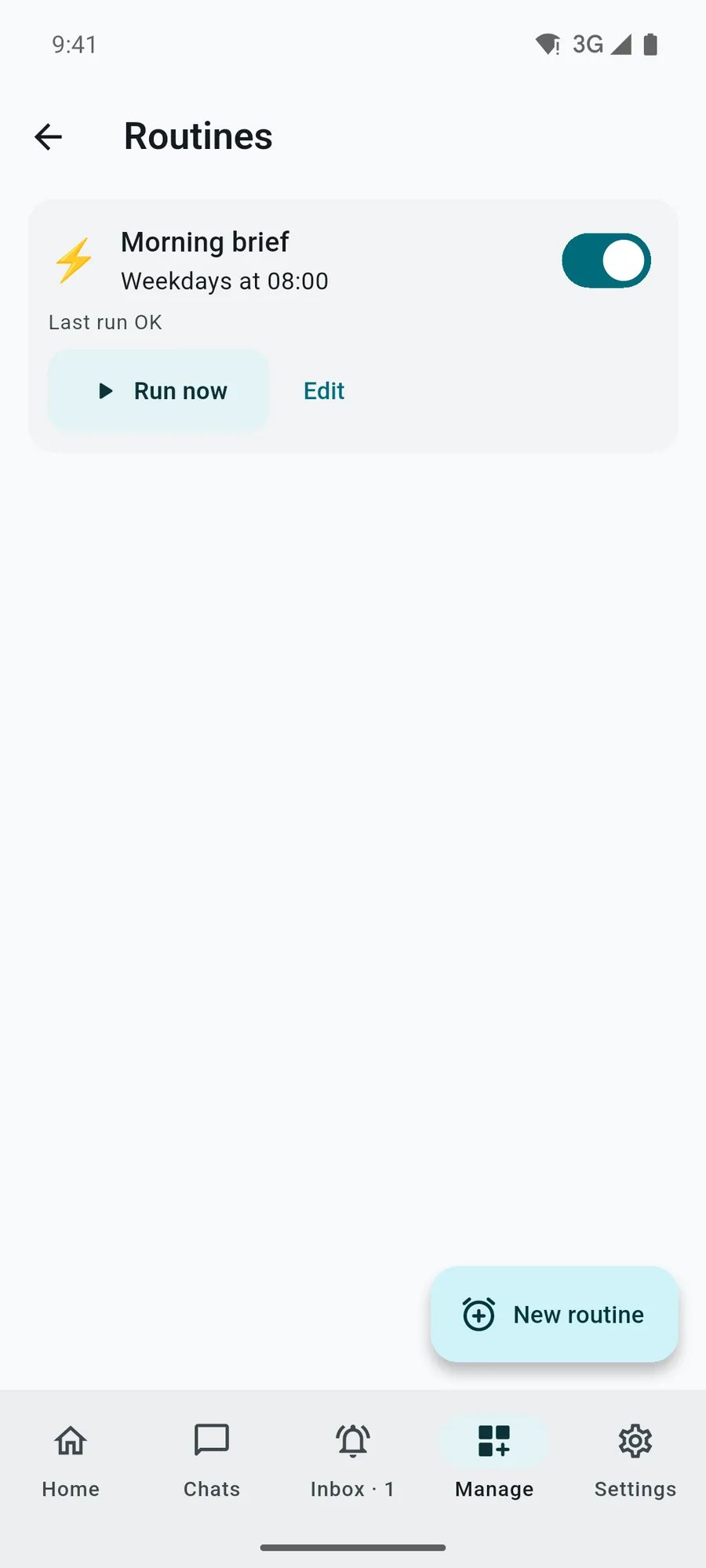
Tested end to end against a real desktop
We paired an Android build with SlashBots desktop 1.2.6 running in an isolated profile. A message reached a bot and the model's answer came back; a run_command approval allowed from the phone created the file on the PC; a question was answered from the phone, and a memory added on the phone landed in the PC's memory. The phone also read a real desktop sync of 579 items with nothing dropped.
The app has 152 tests. All 19 screens render in English, right-to-left Arabic, German at 200 % text and Japanese in dark mode, and the accessibility guidelines (tap targets, labels, contrast) are checked on the main screens. A demo PC with sample replies lets someone try the app before pairing.
- 137 desktop actions mapped: each runs from the phone or stays on the PC on purpose
- 8-character pairing code, single use, 10 minutes; 4-digit match code confirmed on the PC
- AES-256-GCM at rest, server in Frankfurt, no analytics, no ads
- Screens and video: test build with a sample PC and invented chats
The questions we hear often
Does the phone app run the AI?
No. The bots and models run on the PC in SlashBots desktop. The phone sends messages and commands, and the server that relays them calls no model.
Can someone take over my PC by seeing the pairing code?
Not with the code alone. Once a phone claims it, the PC shows a 4-digit match code and asks you to click Allow; nothing is linked without that click. The 8-character code works once and expires after 10 minutes.
Do my passwords reach the phone?
No. The password vault, two-factor codes and API keys stay on the PC. From the phone you can only lock the vault.
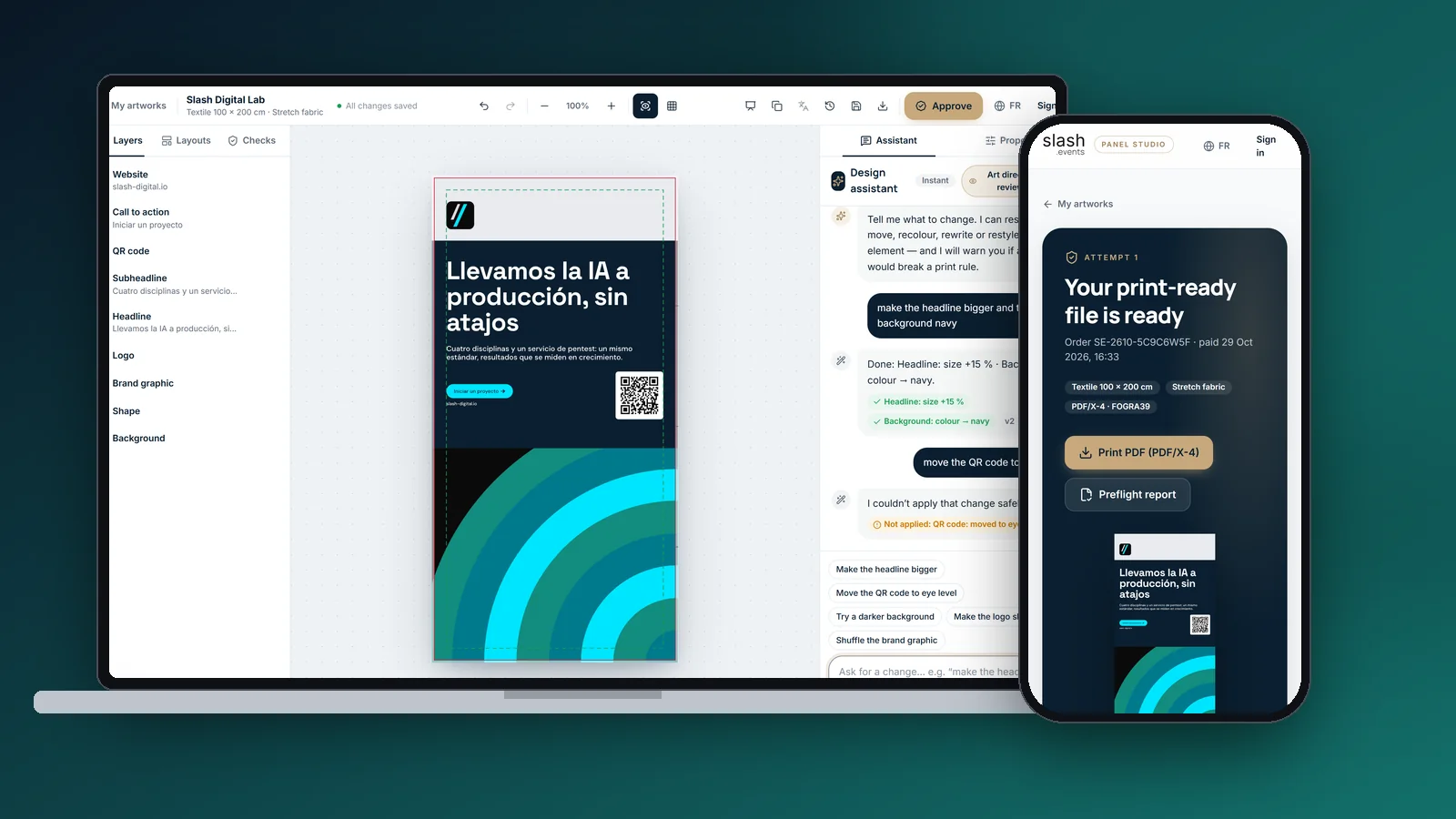
Cases close to this one
 Read more
SlashBots · Desktop agents
Read more
SlashBots · Desktop agents
Desktop AI agents for our own team
SlashBots, our Windows and Linux app: seven bots with a built-in browser, computer use, 421 skills, memory, MCP connectors, routines and a phone companion.
Learn more →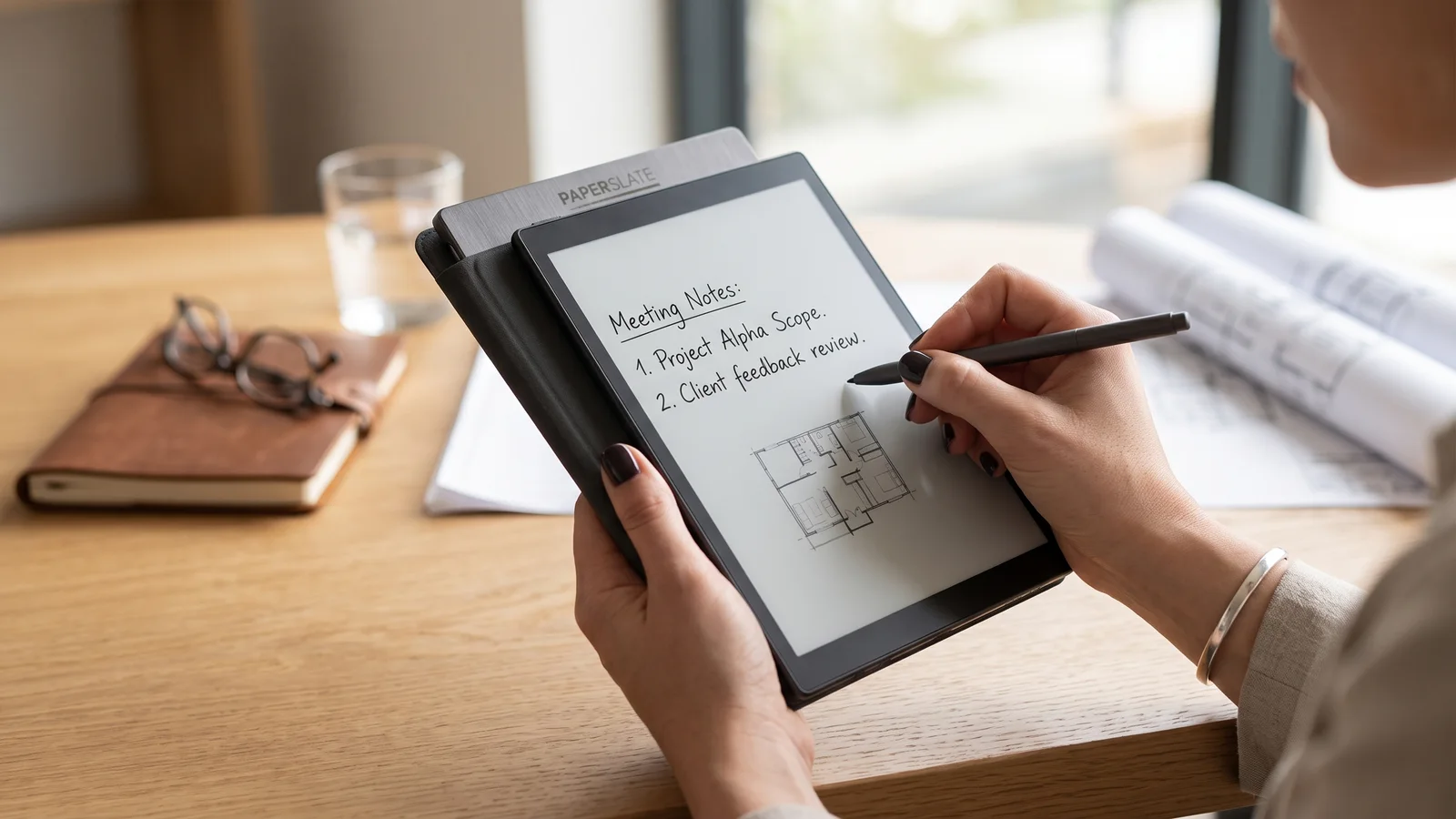 Read more
Paperslate · E-Ink + AI
Read more
Paperslate · E-Ink + AI
E-Ink notebook with AI retranscription
Paperslate product: digital paper tablet with real writing feel (Pro and standard models) and a GenAI layer that retranscribes handwriting, formulas and diagrams to Word or PDF.
Learn more → Read more
Enviable AI · AI portraits
Read more
Enviable AI · AI portraits
Aspirational portraits generated by AI
GenAI product that turns a portrait into a professional aspirational image: fast mobile flow, scene templates, credit-based monetization and a privacy-first architecture aligned with GDPR.
Learn more →Let's put it in production
Tell us your challenge. We reply within 24 business hours with an honest first read: if we can help, we'll say how; if not, we'll say who can.
I reply personally. No endless forms, no canned replies.